
123FormBuilder Knowledge Base
Search our documentation platform for answers, service specifications and 3rd-party integrations.
Can I publish forms as lightboxes on Joomla?
Yes, you can, but only if you use the downloaded version of Joomla for FTP. Before you paste the code onto your Joomla article, you need to make certain settings for your Joomla website, in order to allow the JavaScript code of our web forms to run. To enable these settings, just follow the steps below.
- Access the Site menu → Global Configuration → Text Filters and for Super Users make sure the No Filtering option is enabled.
- In the Extensions tab go to Plugin Manager → Editor TinyMCE → Basic Options → New Lines: Br Elements → Prohibited Elements. Make sure you remove Script and iFrame from that list.
- While still in Extensions, access Template Manager → Templates and choose your active template. Click on its name to edit it.
- Next to $doc → addStyleSheet, insert this line:
https://www.123formbuilder.com/includes/tinybox/tinyboxstyle.css
Make sure the line is added within the tags of the file.
(Optional: if you don’t have $doc = JFactory::getDocument(); declared already, add it before $doc->addStyleSheet). - Now go to the article you want to insert forms to. In Edit Article click on Source Code (or Tools → Source Code).
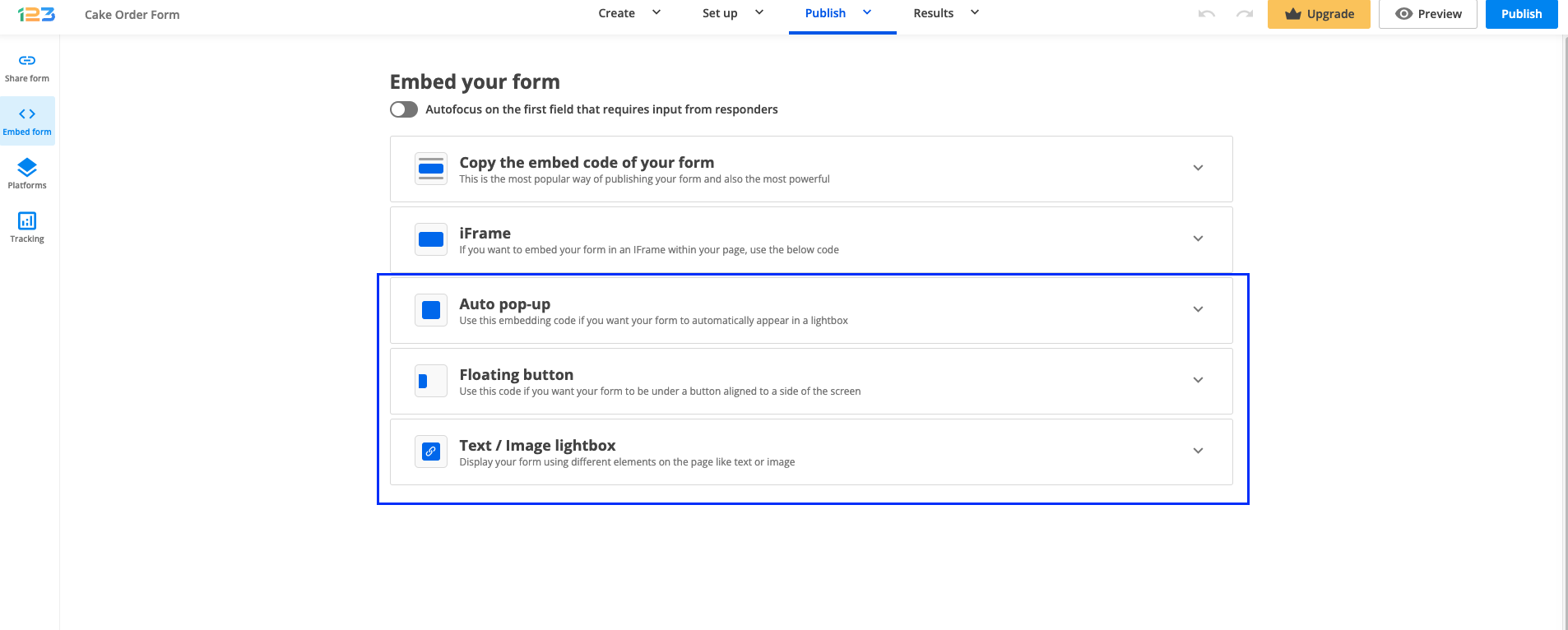
- In your 123FormBuilder dashboard, access the form editor, and go to Publish → Embed form → Lightbox. Choose the option you need (text link, image link, floating button, or auto popup), then copy the form code and paste it into the Joomla article source code box. Save the content and you’re done.
Similar Articles
Frequently Asked Questions
Here is a list of the most frequently asked questions. For more FAQs, please browse through the FAQs page.