
123FormBuilder Knowledge Base
Search our documentation platform for answers, service specifications and 3rd-party integrations.
How to use rules on 123FormBuilder forms?
123FormBuilder provides conditional logic functionality, allowing its users to change the behavior of their web forms based on the input provided by their respondents.
With conditional logic, you can make your online forms more dynamic. In the form creator, you can create complex and advanced rules to control how your online forms behave. There are three types of rules you can create:
- Field Rules
- Form Rules
- Email Rules
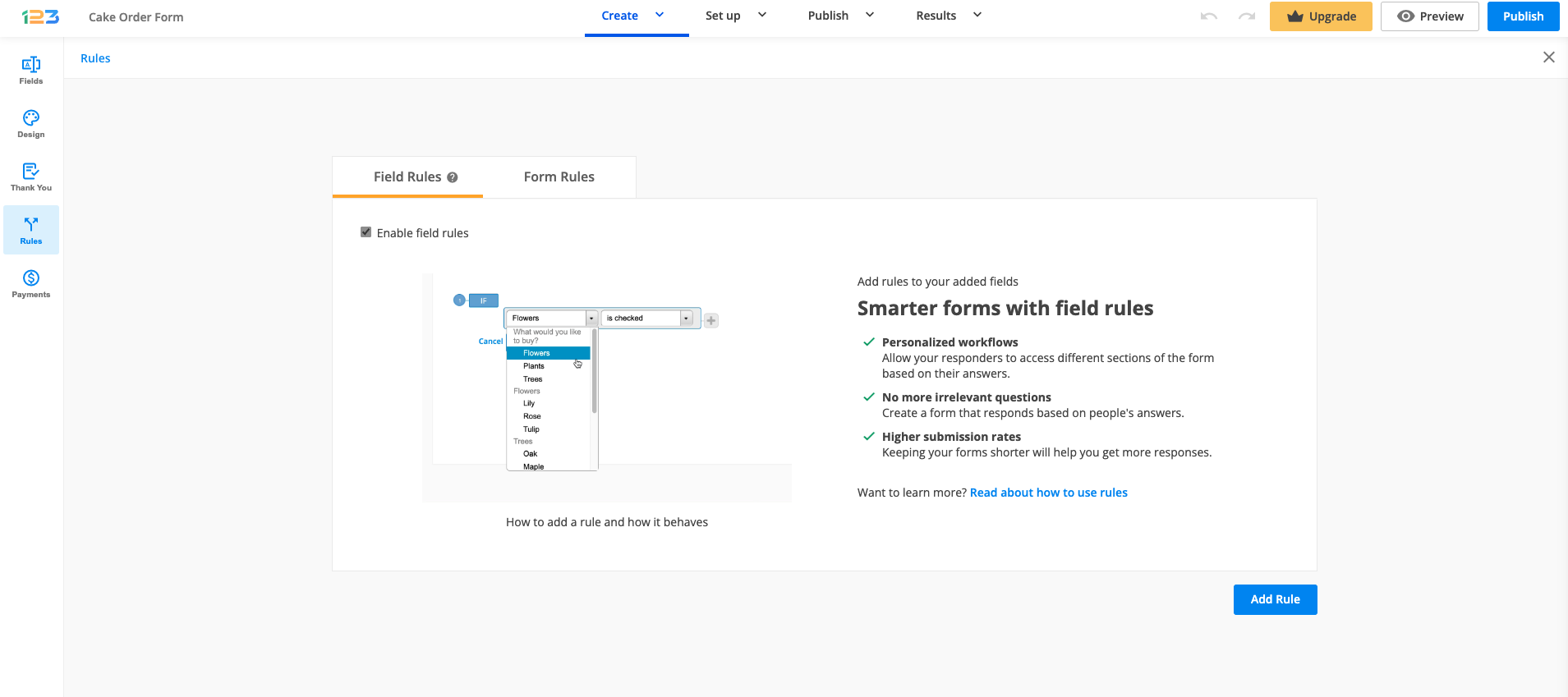
The first two types of rules (Field rules/Form rules) are located in the Rules section of your form, under separated tabs.
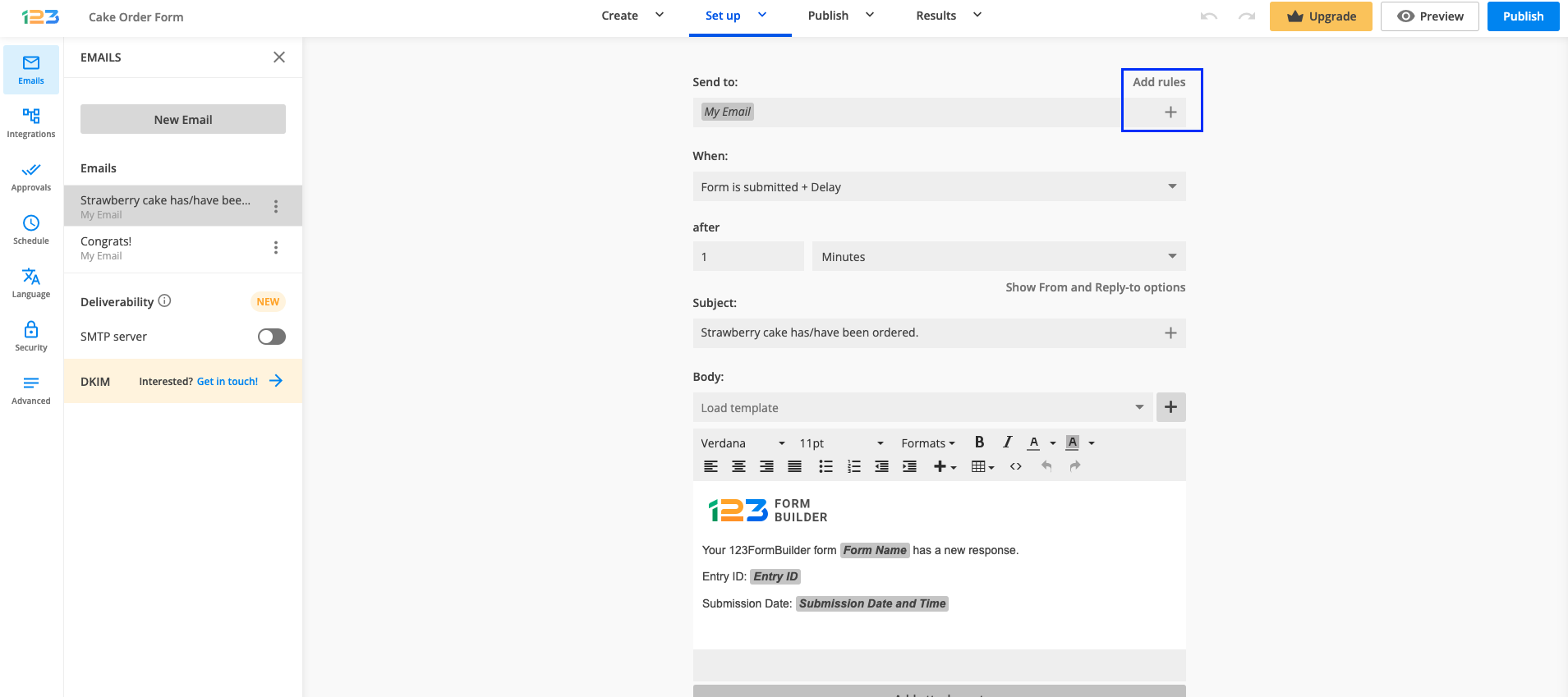
Email Rules are located in the Emails section. You can learn more on how to set up email rules here.
Field Rules
Field Rules affect the behavior of your online form while it is being used. Here you can show or hide certain fields based on the input given by your submitters. These types of rules are applied in real-time, while your respondents are filling in the online form.
Important Note
Separate rules that use the same field will not work on the form. After the condition Then you can’t show/hide the same fields in two separate rules. This is due to a conflict issue. We recommend you create advanced rules with several conditions and subrules in the same rule if needed.Form Rules
Form Rules redirect end-users to a certain web page that you have provided when some specific conditions are met. For example, you can use this option to redirect users to a different version of your website depending on the language they have selected on the form. Form rules are triggered after the form is submitted.
Important Note
If you have your form integrated with a payment processor, the form rule redirect has priority over the redirect to the payment page. You can use this as a workaround to make online payments optional.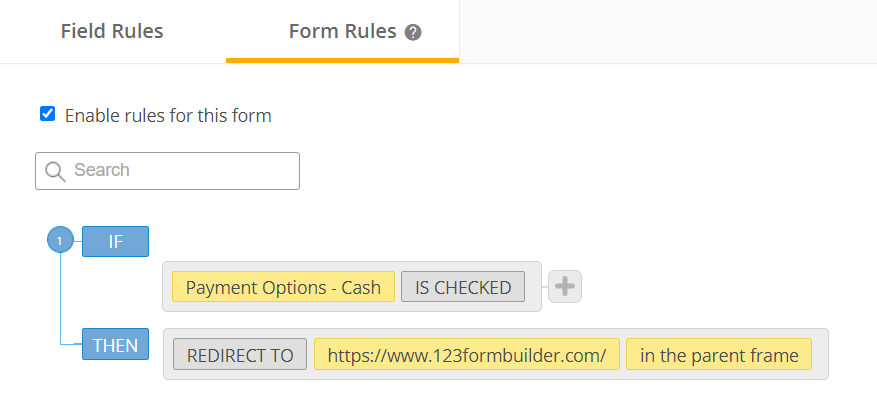
Email Rules
Email Rules can be added to each email notification. They will trigger the email to be sent to the specified recipients when one or more conditions are met. These types of rules apply after the end-user submits the form.
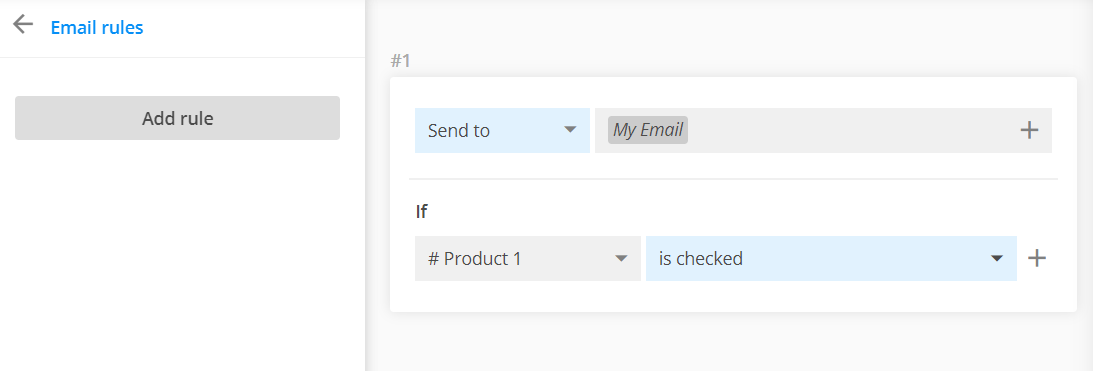
Besides form fields, you can also include the language field (if using translations) and the quiz score (for quiz forms) in any type of rule.
For more details on how to set up email notification rules, check out our step by step tutorial:
How to use Field Rules
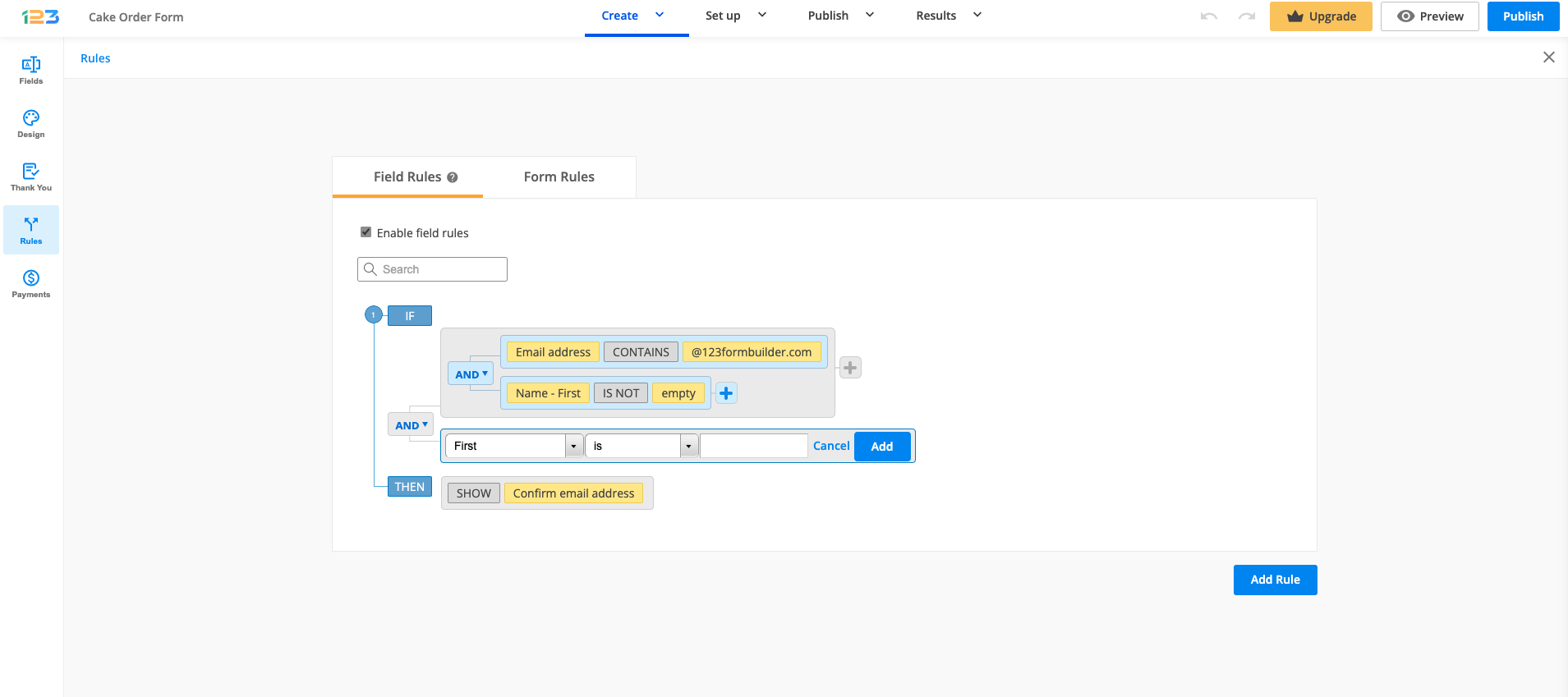
To create a field rule, you can first enable field rules and then click on the Add rule button. You can also first set up the field rules and then enable them if you want to. Just keep in mind that you have to tick Enable field rules if you want them to have an effect on your form.
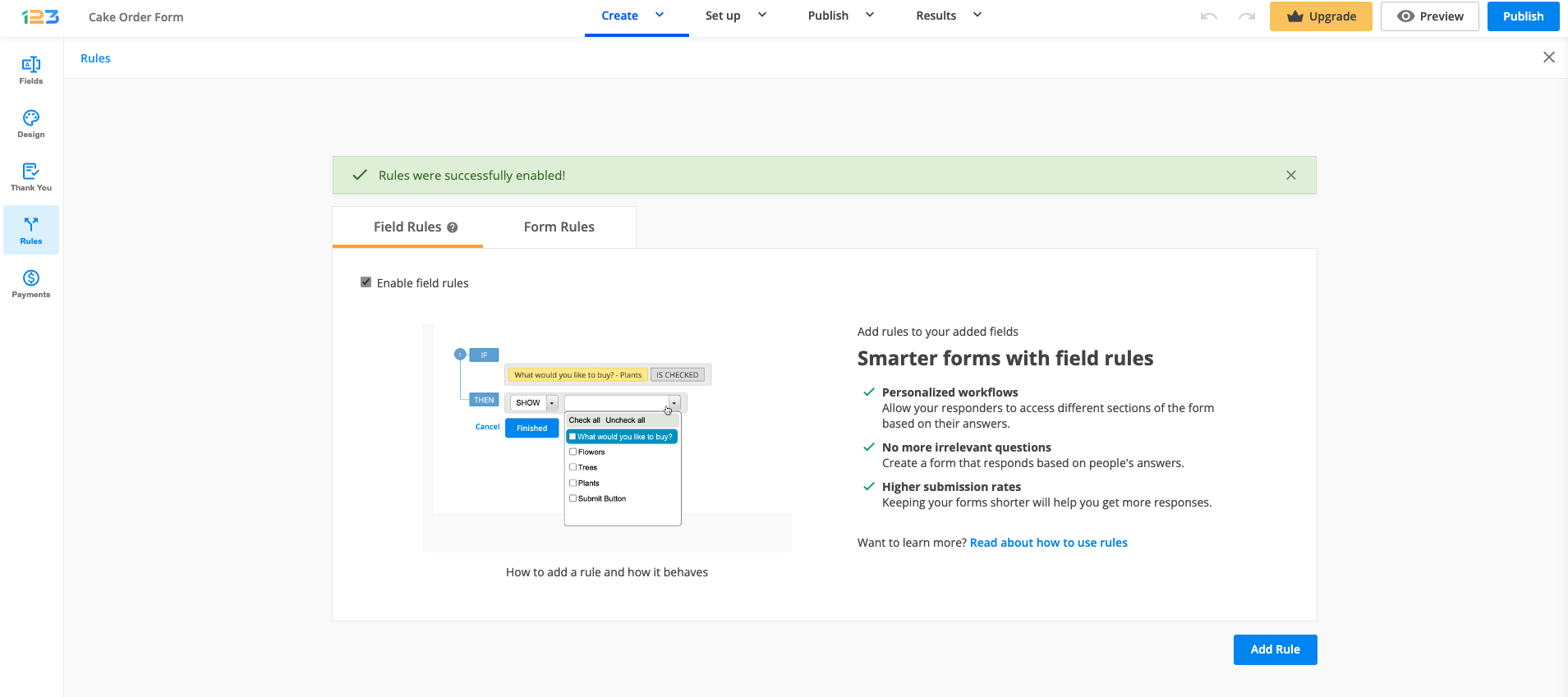
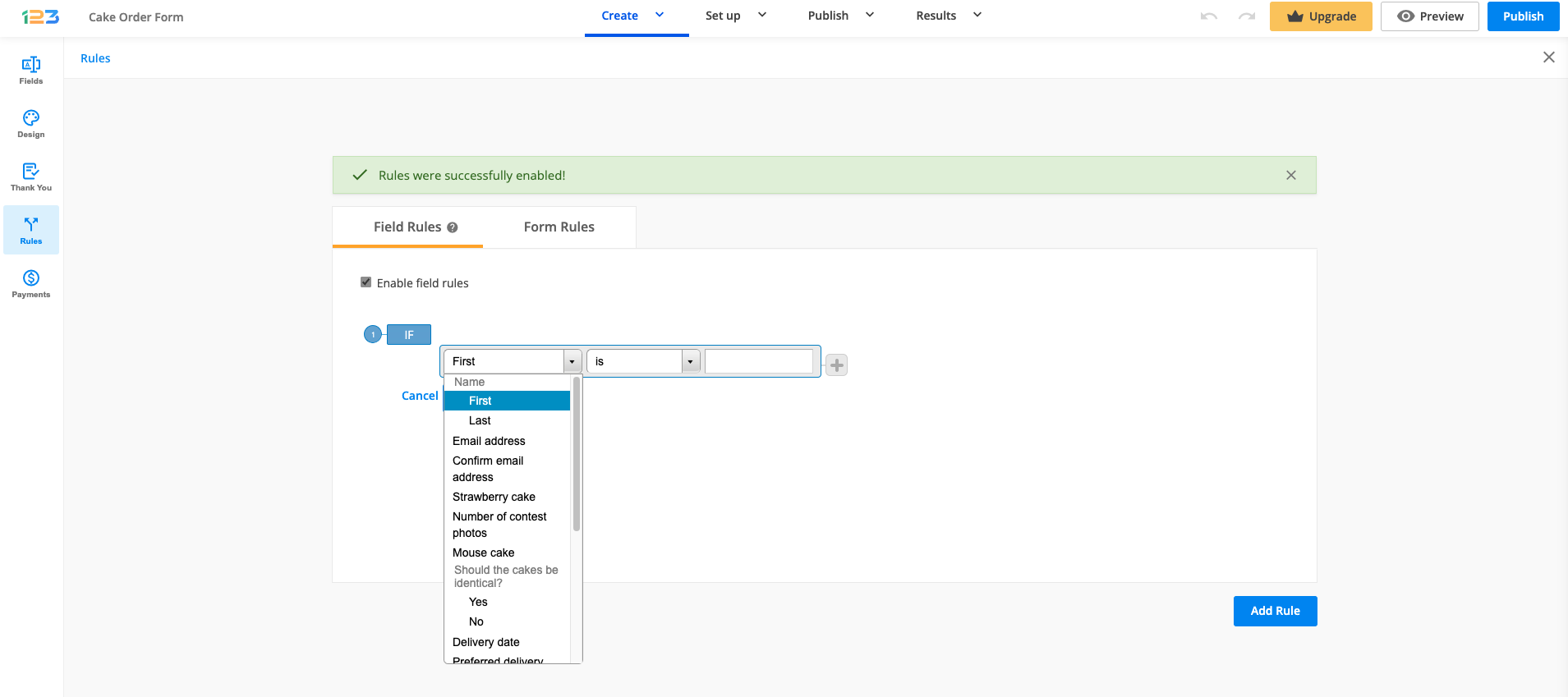
To create a rule, click on the Add Rule button. Use the first dropdown to select the field from the form and the last field to conclude the condition.
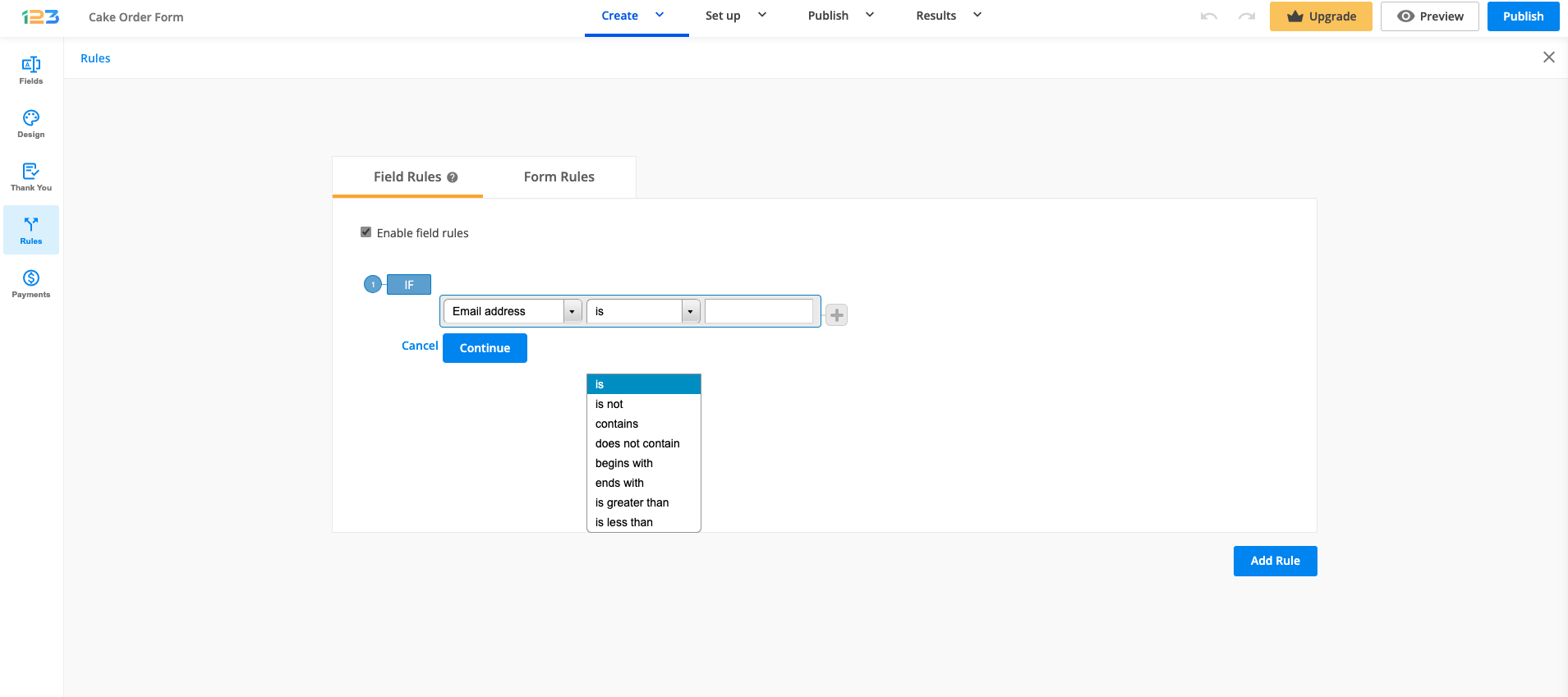
The second dropdown is used to select the operator. For choice fields such as Single choice or Multiple choice, you have a dropdown with the predefined values is checked and is not checked. For input fields, you need to type a value.
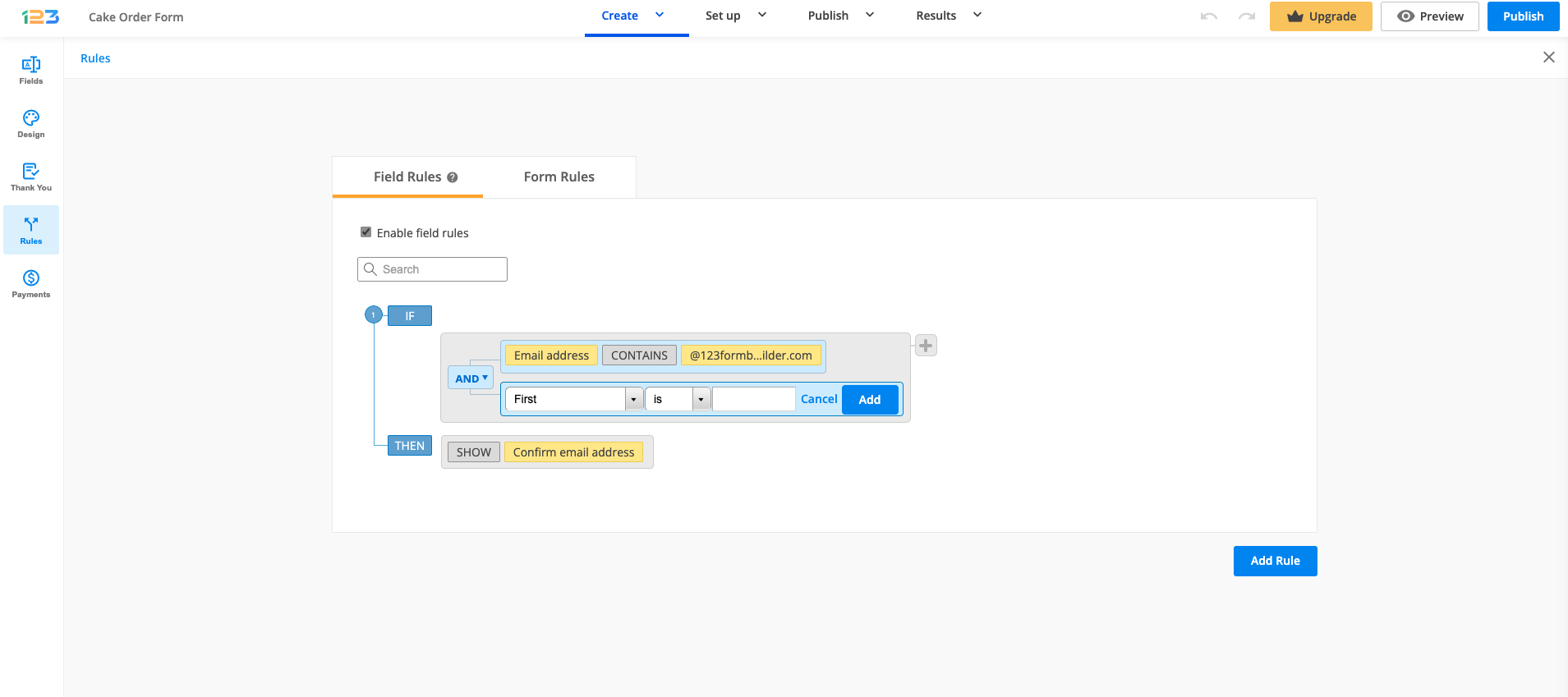
The plus button on the right creates a new condition linked to the previous one through connectors.
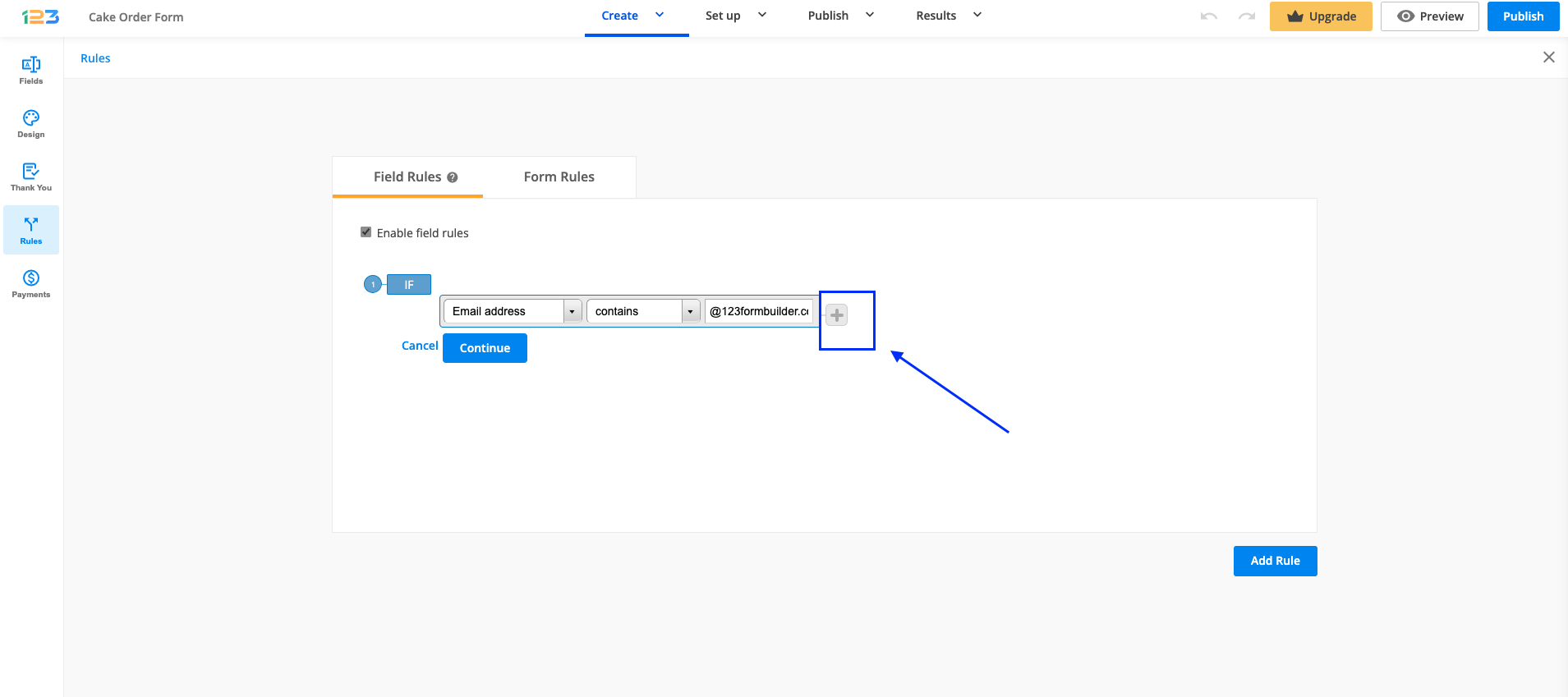
Conditions from the same rule are linked with the connector AND or OR. The plus button will appear next to the last condition of each rule or subrule.
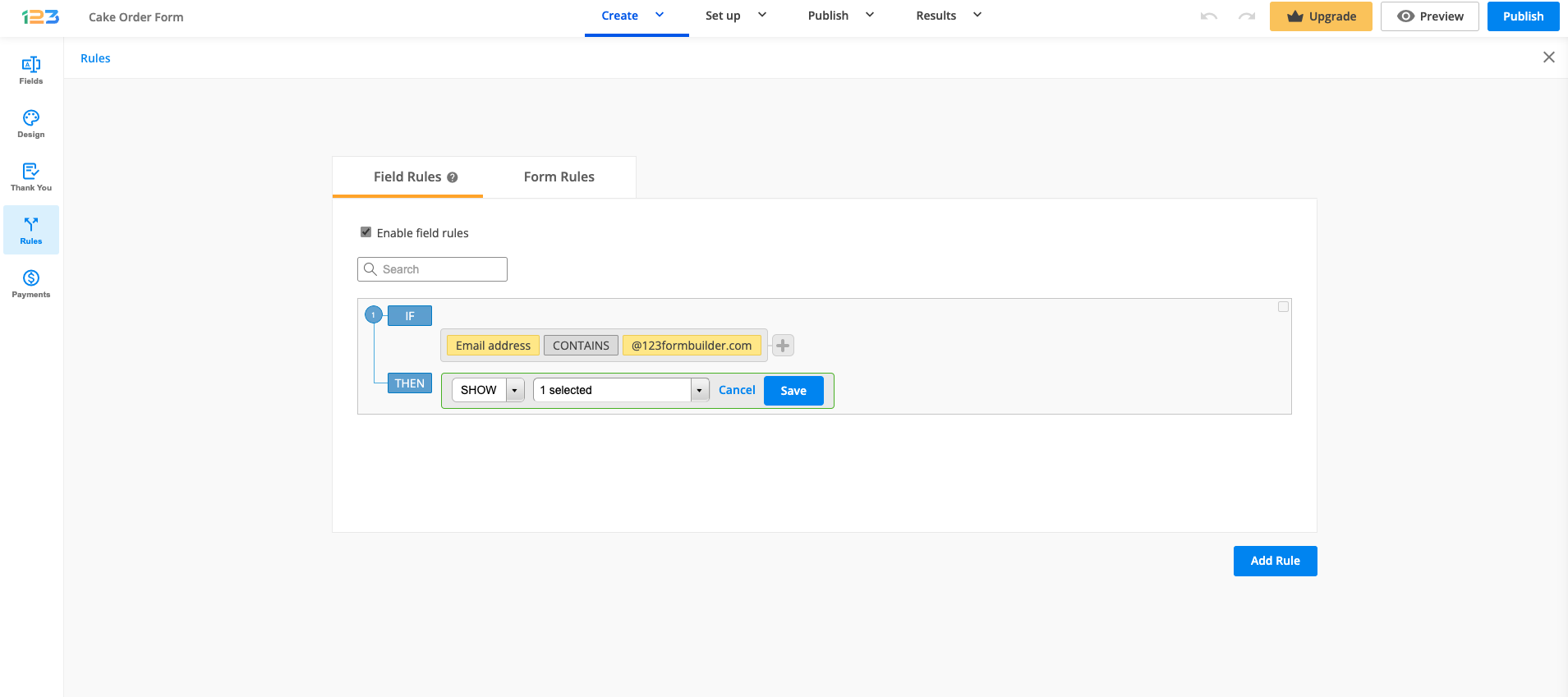
Next, hit Continue and select one of the two existing actions: Show or Hide. In the end, select the field or fields you want to show or hide after the condition has been met on the form.
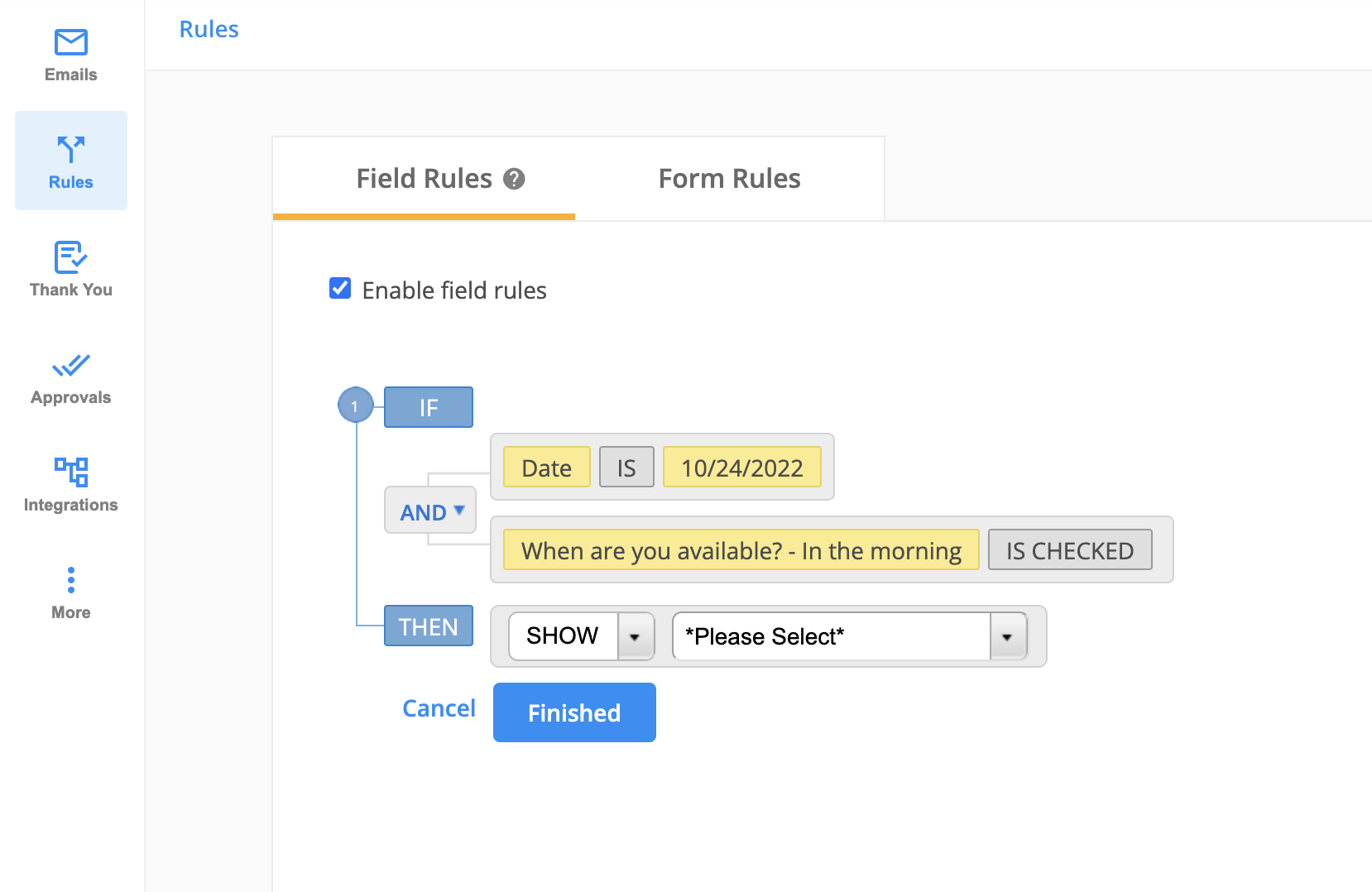
If you wish to Show or Hide the Multiply field group field, please select the Multiply field group element and all the fields included in it. Otherwise, your rule will not work as expected.
When you need to edit a condition from your rule, hover over it and press the button Edit or Delete if you want to delete it completely.
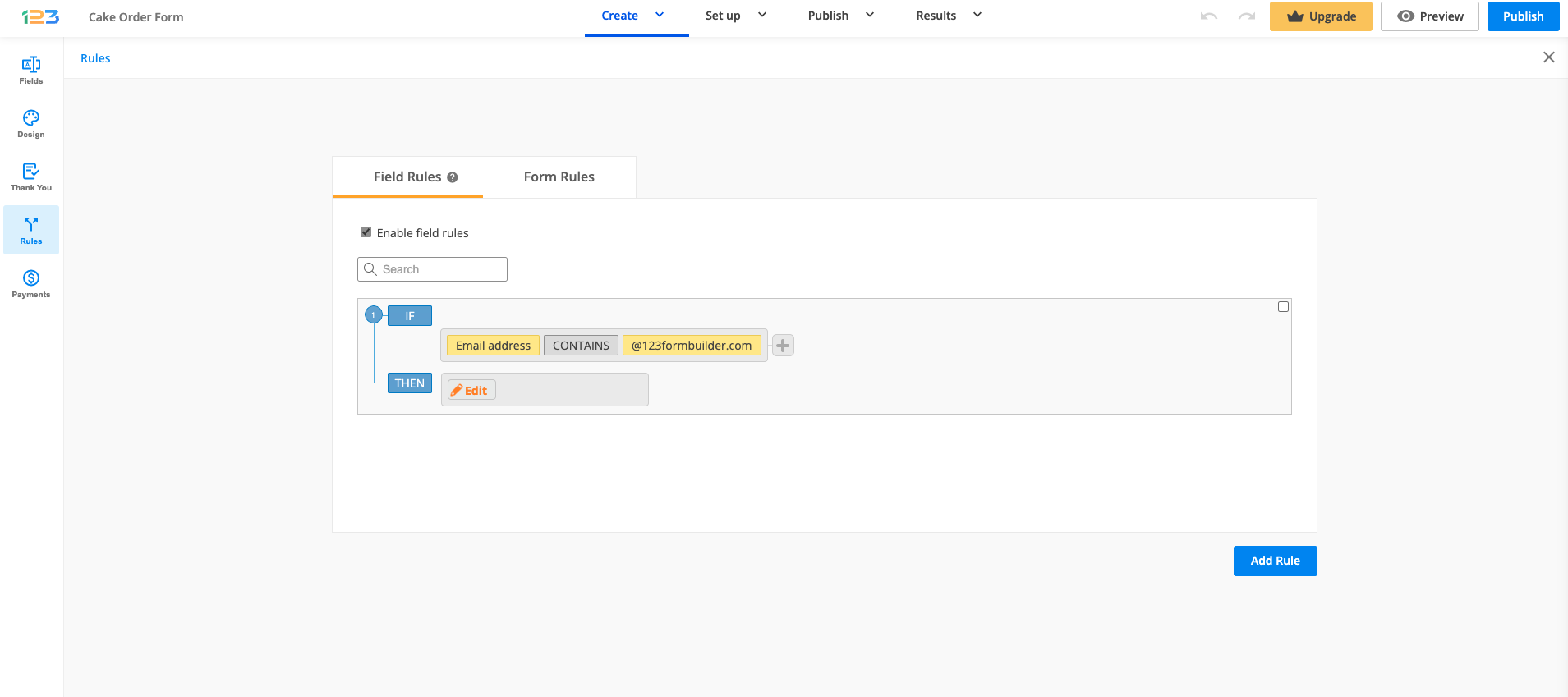
Next to these buttons, you’ll find the Subrule button that creates a subrule within the respective condition.
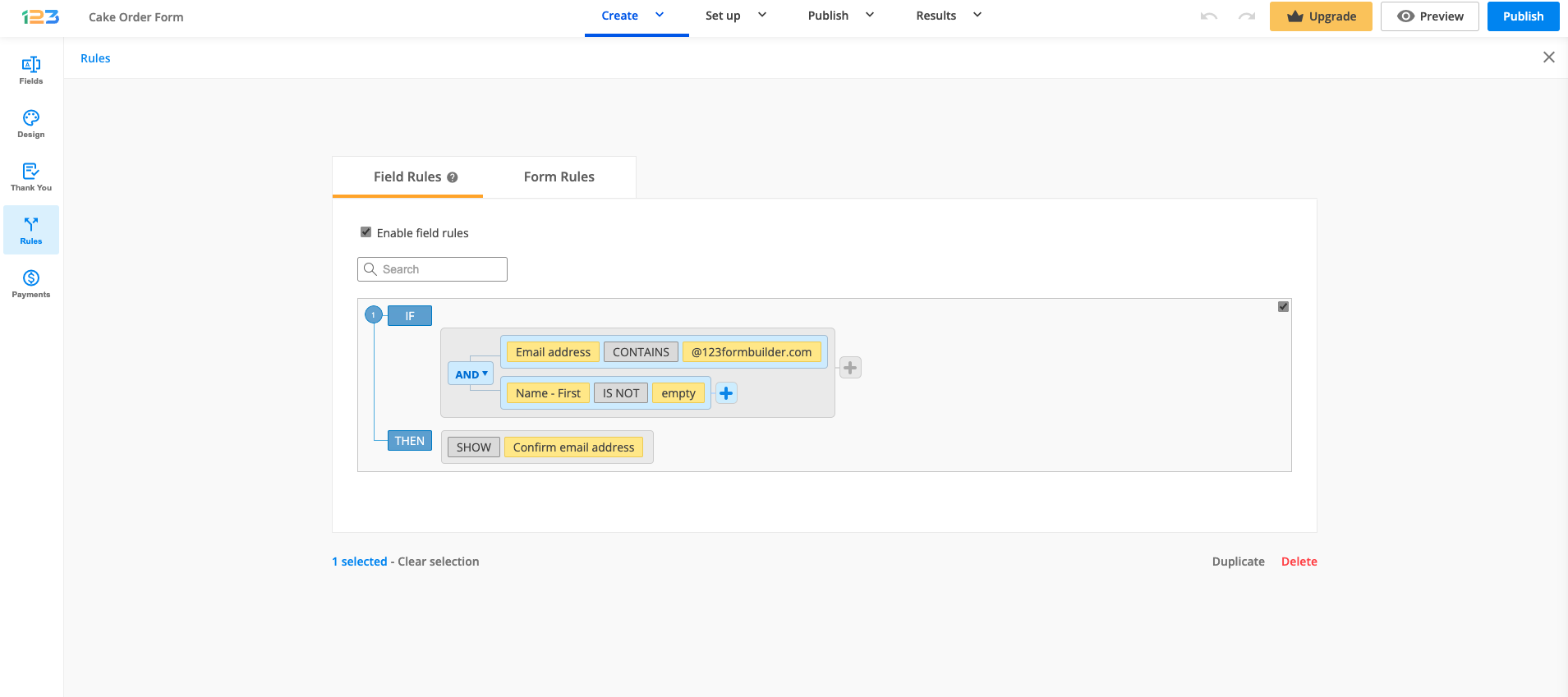
You can also delete an entire rule by hovering over it and ticking the checkbox on the top right corner. Press Delete on the bottom of the page to delete it or Duplicate to make a copy of the rule. You can select several rules and delete or duplicate them at the same time. Use the Clear selection option to uncheck all rules.
Use the search bar to find the rule you are after. Finally, click the Preview form button to see how conditional logic applies to your online form.
To see more details on how to add rules to your form, you can also check out our short video tutorial:
Form rules
Form rules are used if you want to redirect your respondents to a different web page based on their input.
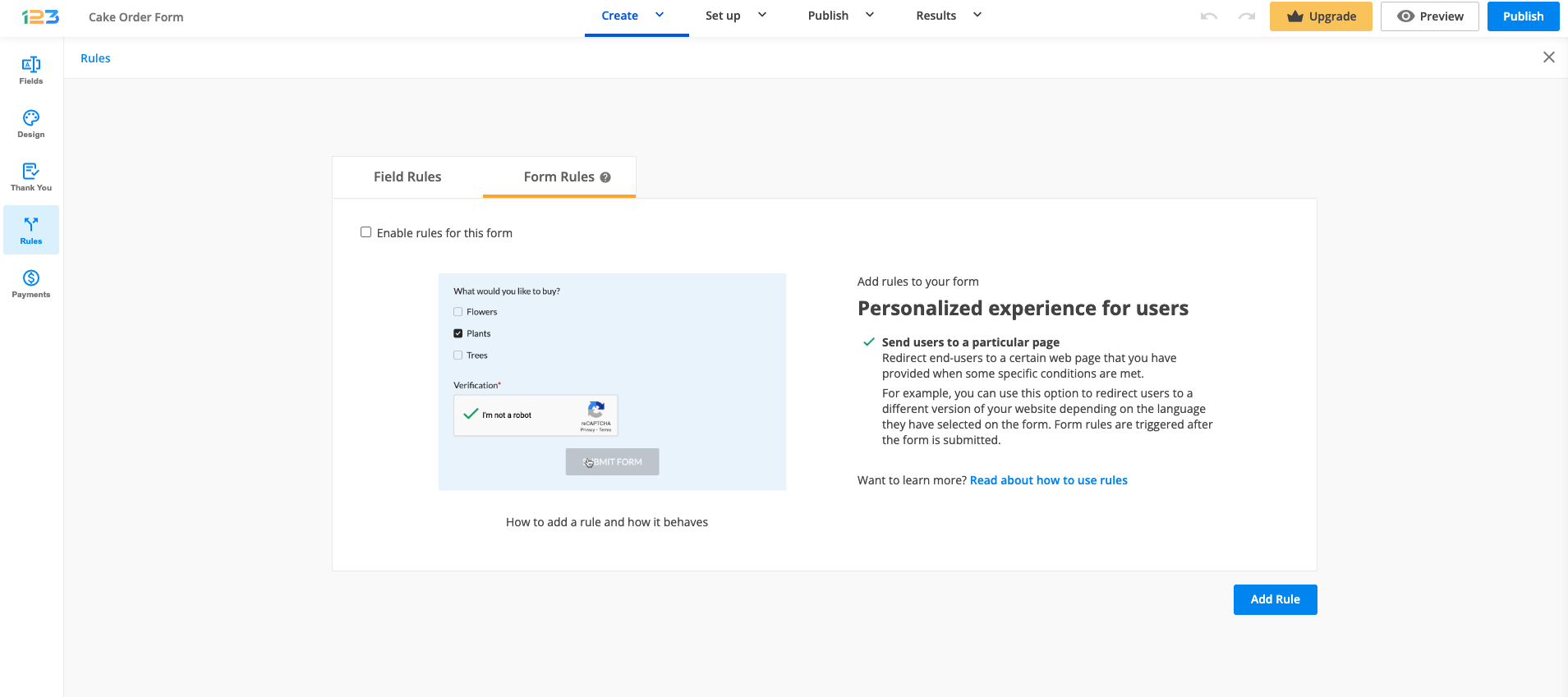
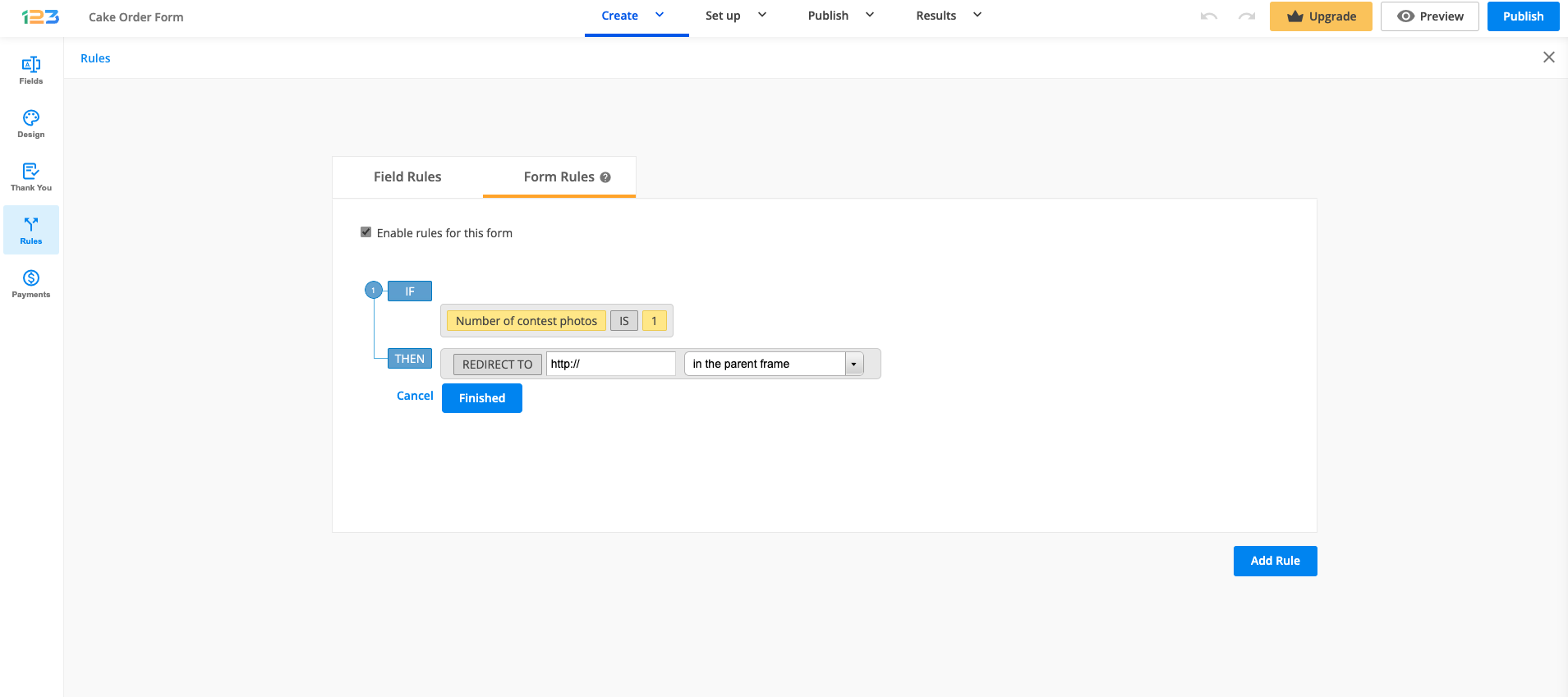
Similar to field rules, you will have to enable form rules, select the field you are interested in and then you have to provide the web page to which your respondents will be redirected after submit.
Related articles
18 comments
Leave a Reply
Similar Articles
Frequently Asked Questions
Here is a list of the most frequently asked questions. For more FAQs, please browse through the FAQs page.
Hi Is it possible to import rules in bulk?
Hi Vincent! It is not currently possible to import rules from one form to another or from external sources. You can only select multiple rules and duplicate them within the same form.
We want to have 3 Radio options shown in Europe and only 2 globally.
I created a EUR radio set and a global radio set. By creating a list of countries the Rules for the EUR Radio Set of fields I can hide my Global SET. And vice versa for showing EUR radios.
Now the problem is the radio buttons on each set also each have a rule to show a text field when clicked/selected. Unfortunately, if someone changes their country after already clicking a radio the rules for the “hidden” text field still remain. Therefore they will get an extra field to fill out.
Trying to make another Hide rule obviously creates a conflict because I am not allowed to manipulate the same field again.
I know it’s not really highly likely someone will change countries but curious if I have A) used the right method and B) missed something?
Do you have any suggestions for such a scenario?
Thanks
Hi there! The field rules are only showing and hiding fields on the form. If someone is changing their mind, our rules can not delete the input nor unselect the previous choice. I hope the above answered your query.
I am using the Rules to display some fields based on if a selection is chosen. For example:
Check box A -> show field 1
Check box B -> show field 2
The check boxes are single choice fields such that only one or the other can be chosen, not both. Rules are set to show field 1 when check box A is selected and hide field 2, and to show field 2 when check bo B is selected and hide field 1.
However, if I select Check box A and enter a value in field 1, then I select Check box B and enter a value in field 2, the value in field 1 is not erased. This causes the form to have values for both field 1 and field 2. I need it to clear field 1 if check box B is selected, and likewise clear field 2 if check box A is selected. I do not see any Rule options to reset values in specific fields, only to show or hide fields.
Without resetting all fields on the form, how do I get this to work as I want?
Hi again Tom, this is normal behaviour. Field rules are only showing/hiding fields on the form and will not erase previous selections or data inputted. I hope the above answers your question. Have a great day!
Can I make a field required using a field rule? For example if OTHER is selected, require that a description is entered before the submit button.
thanks!
Hi there! The rule itself can not change a field’s setting. However, first you can set a field required and after that establish the field rule. When the condition is met on the form (OTHER is selected) your required field will show on the form. Form users will have to type in that required field only when the rule shows that particular field. In other words, only required fields that are visible to you, as the person filling out the form, have to be completed. If they are hidden by rules, they work as normal fields.
Is there a maximum capacity of conditions in one rule?
I am currently using 120 conditions (in one rule) controlling the visibility of the Submit button and the rule stopped working.
Hi Andy, no, there is no maximum capacity established. Genuinely, we recommend using fewer sub-rules as possible and using more separate main rules. I could not find the form you mentioned to check your rule. Could you please email us at customercare@123formbuilder.com with the form to be able to check it out? Thank you.
Is it possible to use prefill email address depends on the name entered? i.e searching from an database and displays matching email address ?
Hello! Yes, starting with our enterprise plan we have a feature called: Virtual Database and Dynamic prefill. This will allow you to connect your forms with an external database and prefill the form fields with the user’s information. Here is our demo form: 123formbuilder.com/form-3143286/Prefill-Preview.
Hi
Is it possible to use conditional logic to route form replies to different email addresses depending on the answers?
Hello! Yes, it is possible. You can establish conditional logic to the form’s recipients. To do so, please go to Settings – Notifications – Form Owner tab – Recipients – New recipient and after When you can add the condition(s) when to send the emails.
Is it possible to use form rules to link a few 123forms to each other? ie: are the your forms’ URLs static? (In fact: are the URLs anything I can select/specify?)
Hello Rachel,
I apologize for replying this late. Regarding your questions – yes, it is possible. When previewing your form, you can copy the URL that shows up in the browser and use that URL in any of your form rules at other forms. You can create form rules where form users are redirected to different forms based on certain conditions. If you require further assistance, please don’t hesitate to contact our support specialists at: http://www.123formbuilder.com/contactus.html
Rules Not working
Hello!
Please contact our Support Team at support@123formbuilder.com or via our contact form and provide more details on the issues you have encountered. Also, specify the browser, device and operating system you are using.
Thanks!