
123FormBuilder Knowledge Base
Search our documentation platform for answers, service specifications and 3rd-party integrations.
How to Set Multiple Fields on the Same Row in 123FormBuilder
You can incorporate more than one field in the same row using our form builder. This feature helps you structure forms precisely as you wish.
Click and hold the mouse button over a field, drag it to the end of the row, and release the mouse button when you see a blue line.
While navigating with your mouse over the field, you will notice that you have two blue lines for each field: one at the beginning of the field, one at the end of the field. These will help you adjust the field’s size. If you have the label’s placement set to the Left you can also adjust the space between the label and the input box.
You can group two or more fields into a container to resize them quicker. Add two fields to the first row. Now drag the third field below the first field and drop it when the blue line highlights only the first field. To remove fields from the same container, drag a field below another until the blue line crosses the entire width of the form. Now you can resize only that field alone, without influencing the fields next to it.
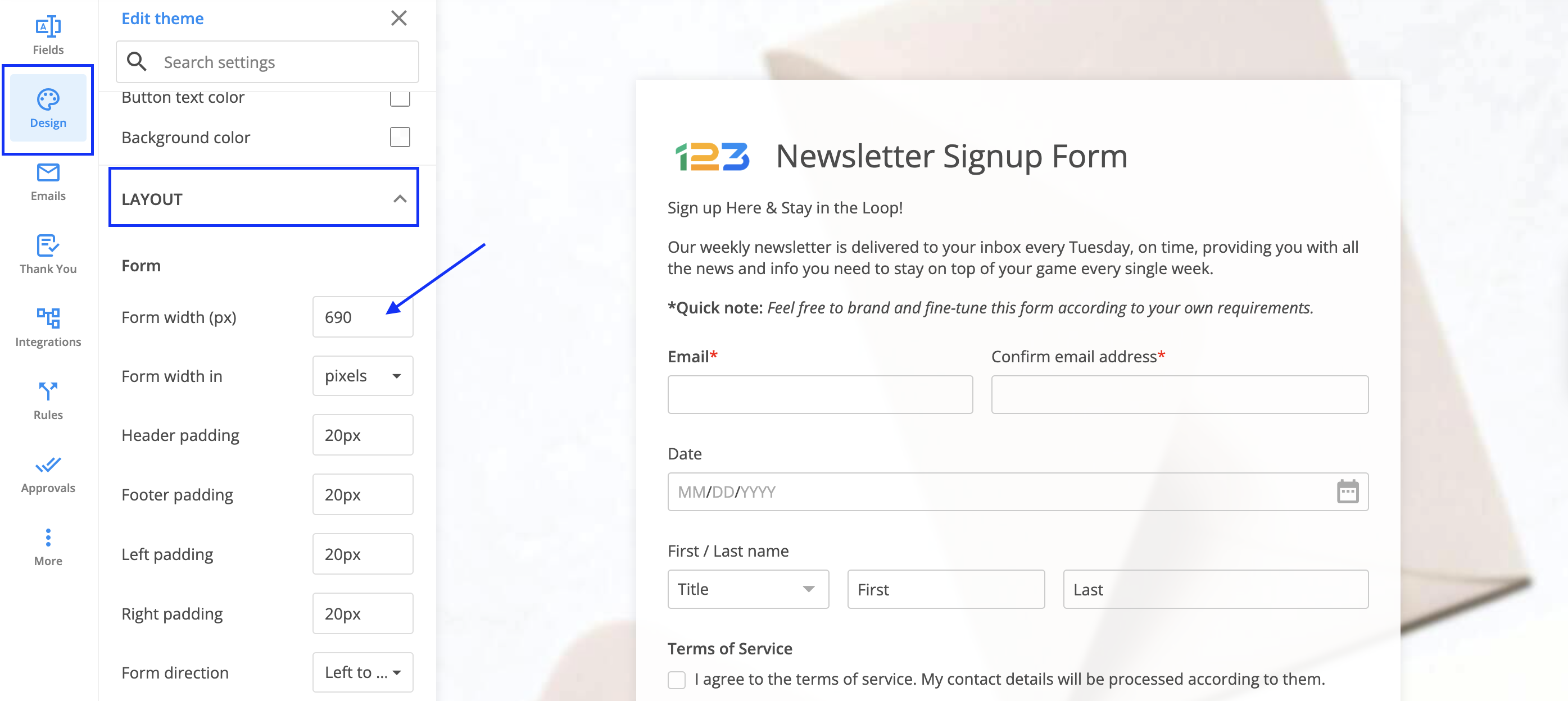
If you added multiple fields on the same row and they seem too crowded, you can always go to the forms Design, Layout section and increase the Form width.
Related articles
7 comments
Leave a Reply
Similar Articles
Frequently Asked Questions
Here is a list of the most frequently asked questions. For more FAQs, please browse through the FAQs page.
how can i create a number field that contains to values for example: from (x) to (y), or from (x) – (y) ?
i want to create a field for the number of rooms of a house in a property search engine so i want the field to specify 2 values with a hyphen in between.
Hi Khalid! For your scenario, the best solution would be to use a “Short text” instead, as the number field cannot allow any special characters. If you have additional questions or need any help with your form, please contact us at customercare@123formbuilder.com or on live chat.
I used to be able to set field widths and have more than one per line but since the site has been upgraded I no longer have the options to do so. The instructions here still refer to the old version of 123cf – how do I do this now?
Hi Andrew,
The new editor allows you to place multiple fields on the same row simply by clicking and dragging one next to the other. While a field can be resized by clicking and dragging the blue anchor point that is displayed when hovering.
Thanks.
i wanted the form to have two fields one which says estimated weight the other which multiplies the value entered in the text box(for estimated weight) with the cost per kg and display the value.
For eg if its $8 Rs a KG and the estimated weight is 10 KG then the new field has to multiply both and show $80
Can this be done using this form editor. Could you please help.
Hello!
To apply calculations, follow the steps:
1. Add a Number field to the form that will contain the result.
2. Go to the Settings → Payments section of your form and click on the dropdown below the Assign Values or Formulas to Fields section.
3. Select your Number field and click on the green dropdown on the right. Select Formula and click on the Turn on numeric validation button from the lightbox.
4. The field will drop down with a calculator on the right and a text area next to it. Click in the text area and use the calculator and the dropdown above the calculator to include the two fields you want to multiply. Use the calculator to add mathematical operations.
5. Hit the Save changes button, on the top right.
View your form and provide some values in the fields to test the result.
Learn more in our documentation at https://www.123formbuilder.com/docs/form-calculations/
For further assistance, don’t hesitate to contact our Support Team at support@123formbuilder.com or via our contact page.
Thanks!
Can I request a feature to link/group fields together so that they can be moved in one go. For example multiple fields in one row or multiple rows. At the moment, it’s a bit of a time consuming juggle to align rows when you need to move them.
Thanks