
123FormBuilder Knowledge Base
Search our documentation platform for answers, service specifications and 3rd-party integrations.
Publishing Your Web Forms in 123FormBuilder
There are various ways to publish forms or surveys, according to your requirements.
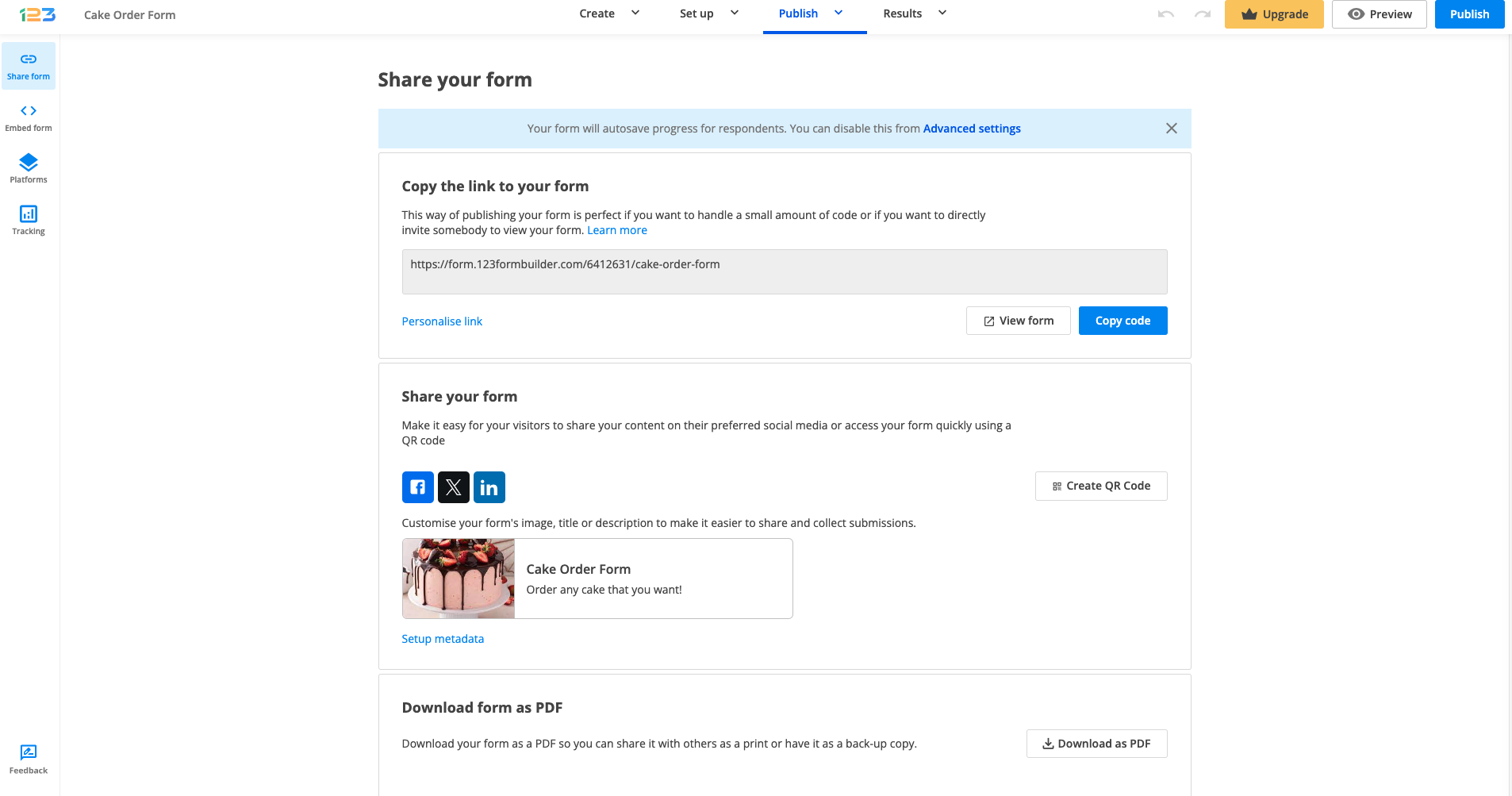
The first Publishing section is Share form. Here you can find the quick link of your form, you can easily share it on social media platforms and even download the form as a PDF. Moreover, you have the option of creating a QR code for your form and even HTML code of your QR code in order to embed it in your website. Users that have access to Custom domain according to their pricing plan can customize the link as such, by applying their own custom domain.
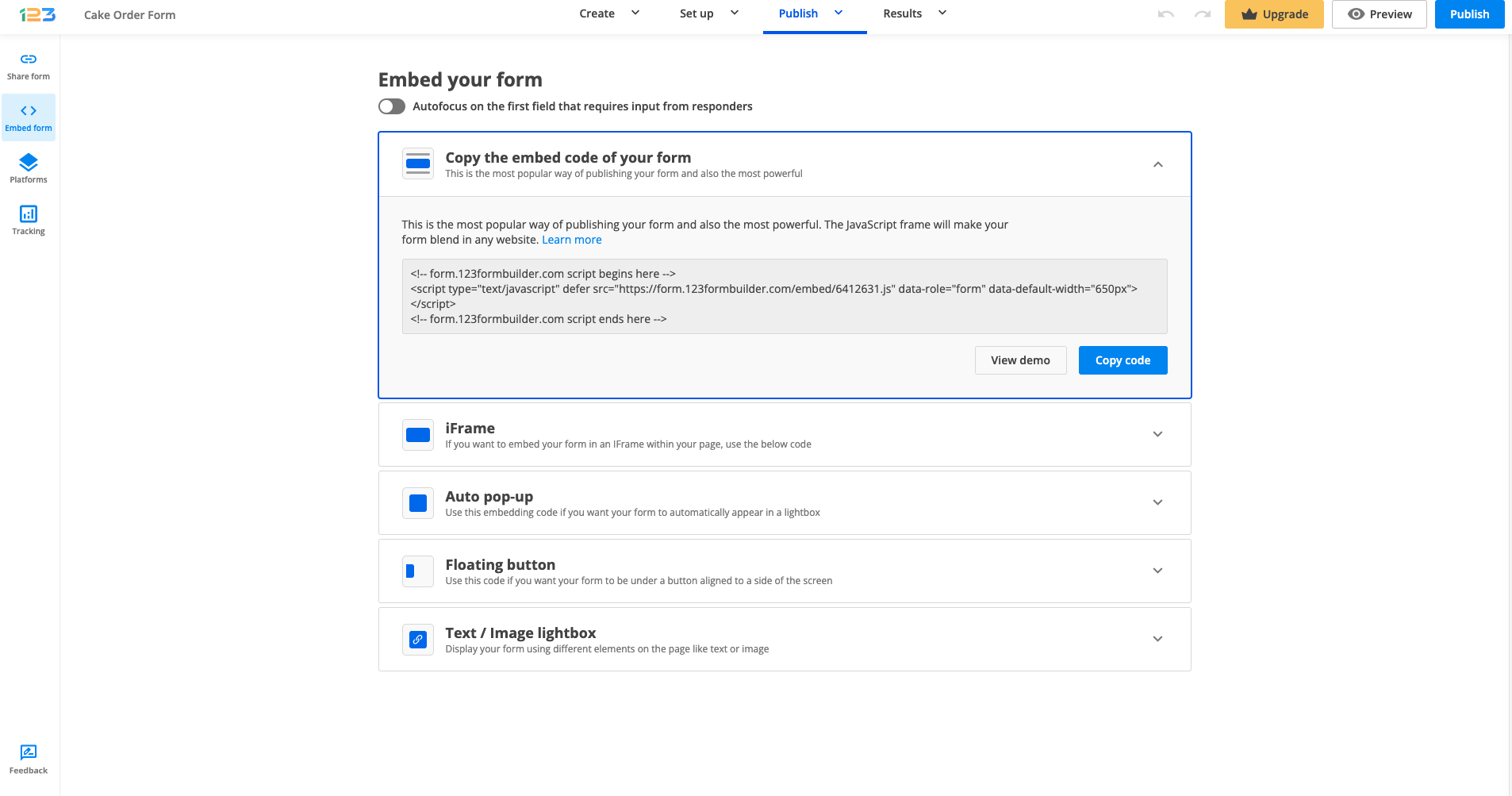
The section section, called Embed form, offers you multiple options of embedding your form in a website. The first option is JavaScript, being the most popular, but you can choose between IFrame, Auto pop-up, Floating button and Text/Image lightbox. Each option comes with a View demo feature so you could see how your form would look like once it is embedded with each option.
By navigating to Platforms, you have access to quick embedding code for each platform available.
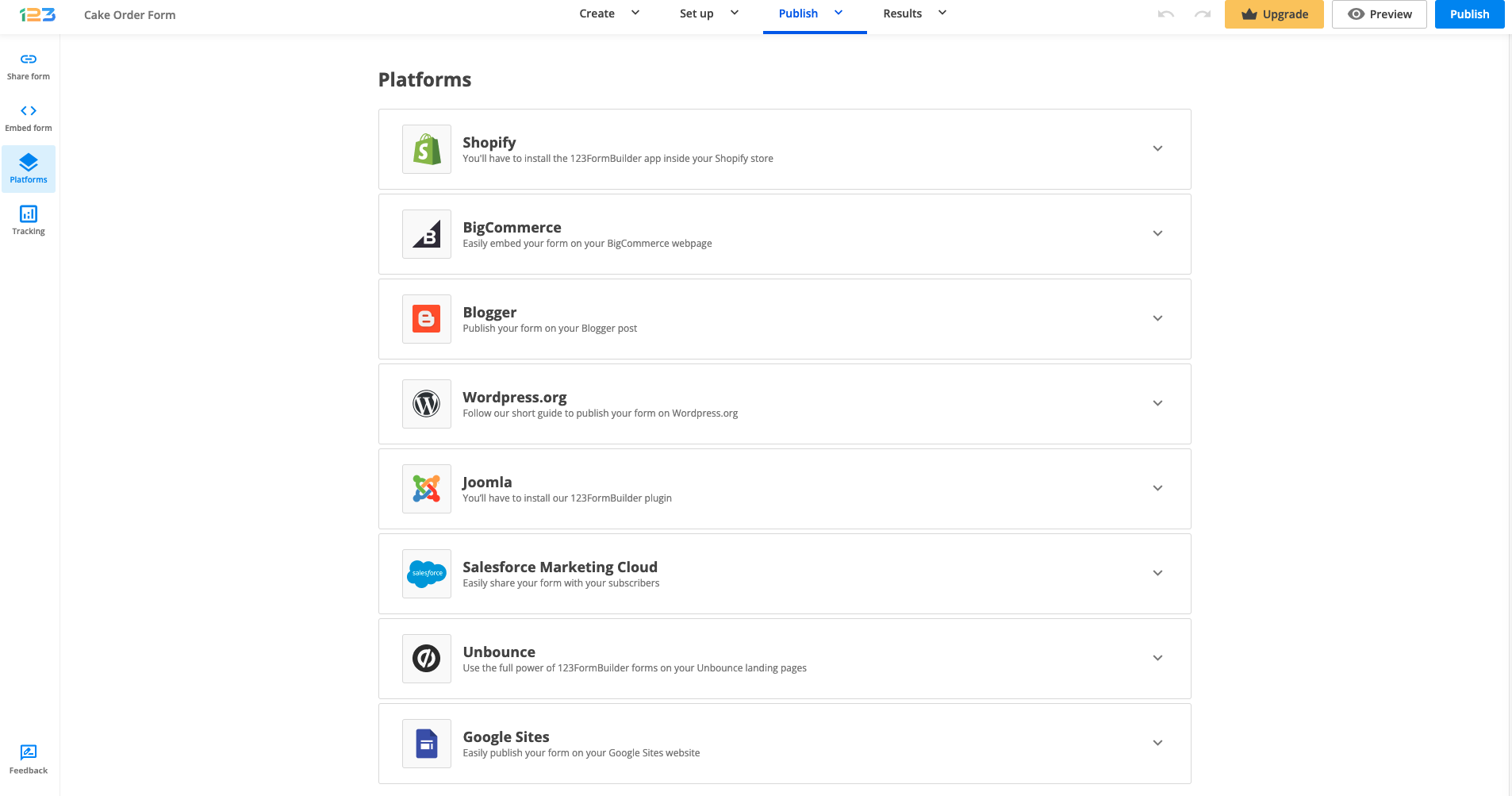
Our online forms are compatible with all website builders that allow customized scripts, such as HTML and JavaScript.
Important Note
If you are a Wix user and want to know how to publish your web form or survey, follow our 123FormBuilder guide to learn more about the app and how to use it.If you want to publish forms, it’s simple. You select the option that suits your needs best and as easy as 1-2-3, you’re set!
24 comments
Leave a Reply
Similar Articles
Frequently Asked Questions
Here is a list of the most frequently asked questions. For more FAQs, please browse through the FAQs page.
How do I change the URL from the publish form link? I notice when I change the name of the form, the URL does not change after I publish the first time.
Hi Margaret, have you tried to refresh the page to update the form’s link name?
Hello,
Is there any way to change the registration link to reflect the name of our training? In the old format, you could customize the link and with the new updates, it isn’t reflected on the help pages with the new updates.
For example, instead of 123formbuilder.com/forma;lkdjfla;sjdlsj I would like it to say 123formbuilder.com/formtrainingname
Hi Jordyn, yes you can change the form’s name. To do so, please head over to your Form Editor and where your form name is listed( in the top-left corner) click on the current name and you will be able to type another name. To add your own domain, please read about our domain aliasing feature. Thank you and have a great day!
can I PDF a completed form?
Hi Robert, yes in the Results section of your form. Click on one entry and you have the option to download its PDF file.
I published my form and copied the link on email to send, but when I click to the link the system show me a message “Sorry, this form is currently disabled”.
This is the link form
123formbuilder.com/form-5020309/convegno-suap-sue
How I can able the form?
Thanks in advance
Regards
Hello, you will need to make sure that the form’s status/activity is set to be Always active. Here is our article regarding this subject: https://www.123formbuilder.com/docs/form-activity-2/
I want a Stand-Alone form, NOT a link. How do I do this?? I want to be able to have someone download my order form, fill it out, add their attachments, and send it back to me. My site host doesn’t support an order process which allows for uploading photos from my customers so that I can build their photo project. I don’t want to send them off-site for forms as they will not come back to my business.
Hello Joyce.
You can embed the form on your website by using the embed code provided in the Publish section. Also, you can add a File Upload field so that users can directly upload their photos through the form and are stored within your 123FormBuilder account.
If you need any assistance, you can contact our Support team at support@123formbuilder.com, or, through our contact page.
Thanks!
I am able to post the form to my site but I am not receiving the emails.
Thanks,
Elizabeth
Hello Elizabeth!
If you encounter issues in receiving the notification emails from your form, contact our Support Team at support@123formbuilder.com or via our contact page. It appears it would need some investigation from our support representatives and any additional information would help us. For example, the publishing option you have used and the way you have set up your form in the Notifications section.
Thanks!
I would like to use my form as an onsite tool to gather information as participants arrive. We plan to utilize 2 or three computer kiosks during a registration period. How can i use my form in this manner. WE will not be sending links to the form. Please advise
Hello!
To use your form as an onsite tool, may we recommend you use its JavaScript code from the Publish → Embed Code section. Just copy the code and paste it in the source code of your web page. Documentation here. From there on, visitors will be able to submit your form directly on the website. If you want to administrate registrations with two or more people, you’ll need to create a subaccount for each person. Subusers can be created on Platinum and Diamond plans (see our features matrix). With Platinum you can create up to 4 subaccounts (5 with the main account) and 19 with Diamond. A subaccount implies a separate email address and password that will be used to log into the 123FormBuilder account. You can grant certain permissions to your subaccounts. Find more here.
For more information or assistance, please don’t hesitate to contact our support specialists at support@123formbuilder.com or via our contact page.
Thanks!
So I have to upgrade to publish my appointment form to my website unless I want it as a link? I am very upset! This new change has messed everything up that I worked so hard on.
I use to be able to hit publish and I’d see the form update automatically on my website without me having to enter codes, etc and without having to upgrade. Now I can’t publish anything!
Hello Elle!
All publishing options within the Publish section of your form are available for the Basic plan, with the exception of domain aliasing and secured SSL, which are for Platinum and Diamond. Have you tried embedding your appointment form on your website with one of the embed options? We usually recommend the JavaScript code. Just hover over the JavaScript code from the Publish → Embed Code subsection and copy the selected code. Next, paste it inside the code of your website and the form should run fine.
If you have problems using one of the publishing options, please contact our Support Team at support@123formbuilder.com or via our contact page.
Thanks!
I can’t get the form to copy to my website… What am I doing wrong??? Thanks
Hello Niki,
Could you specify the embed code you have used (JavaScript, Iframe or Inline HTML)? We recommend you use the JavaScript code to publish the form on your website. It works on all devices and browsers. Please contact our Support Team for assistance and they will gladly help you right away.
Thanks!
I do not understand why I am unable to publish my form to my website without upgrading. Are you able to publish a form onto a website with the free option?
I am so confused intrying your product I have just given up. I dont understand much here, i see people asking you that they cant use the form on their own domain? I cant imagine the people like myself who use dreamweaver ever skilled enough to use this program, especially when it gets so confusing at the point of redirecting to a page on my domain and the terminology used is not for the unskilled.
Hello!
Our online forms can be embedded on any webpage that supports Inline HTML, IFrame or JavaScript. These options are available on all plans, including the Basic plan, as seen in our features matrix. We also have a number of documentations on how to publish your 123FormBuilder online forms on different platforms, such as Dreamweaver. For domain aliasing, you’ll need to upgrade to Platinum or higher to enable this option.
For any questions or assistance, we have a 24/7 in-house support team that helps each one of our clients step-by-step, no matter the plan they are using. They can be contacted at support@123formbuilder.com or via our contact page. They will get back to you as soon as possible and give you all the necessary information and assistance that you need.
Thanks!