
Secure Forms
Use secure forms to simplify the process of creating, sharing, and managing online forms without compromising the security of the data collected.
With its user-friendly interface and a wide range of features, 123FormBuilder empowers you to build customized secure forms tailored to your specific needs while ensuring the highest level of data protection.
Trusted by 35,000+ clients, from small businesses to large enterprises


What Is a Secure Form?
In the realm of online data collection, a secure form is meticulously crafted to safeguard the data you submit from potential threats, ensuring its confidentiality and integrity.
These forms are widely employed on websites and web applications, serving various purposes like customer feedback gathering, order processing, contact information collection, and surveys.
Secure forms use SSL, Captcha, or other encryption technology to encrypt data from end to end. And 123FormBuilder allows you to build the best secure web form that can be.
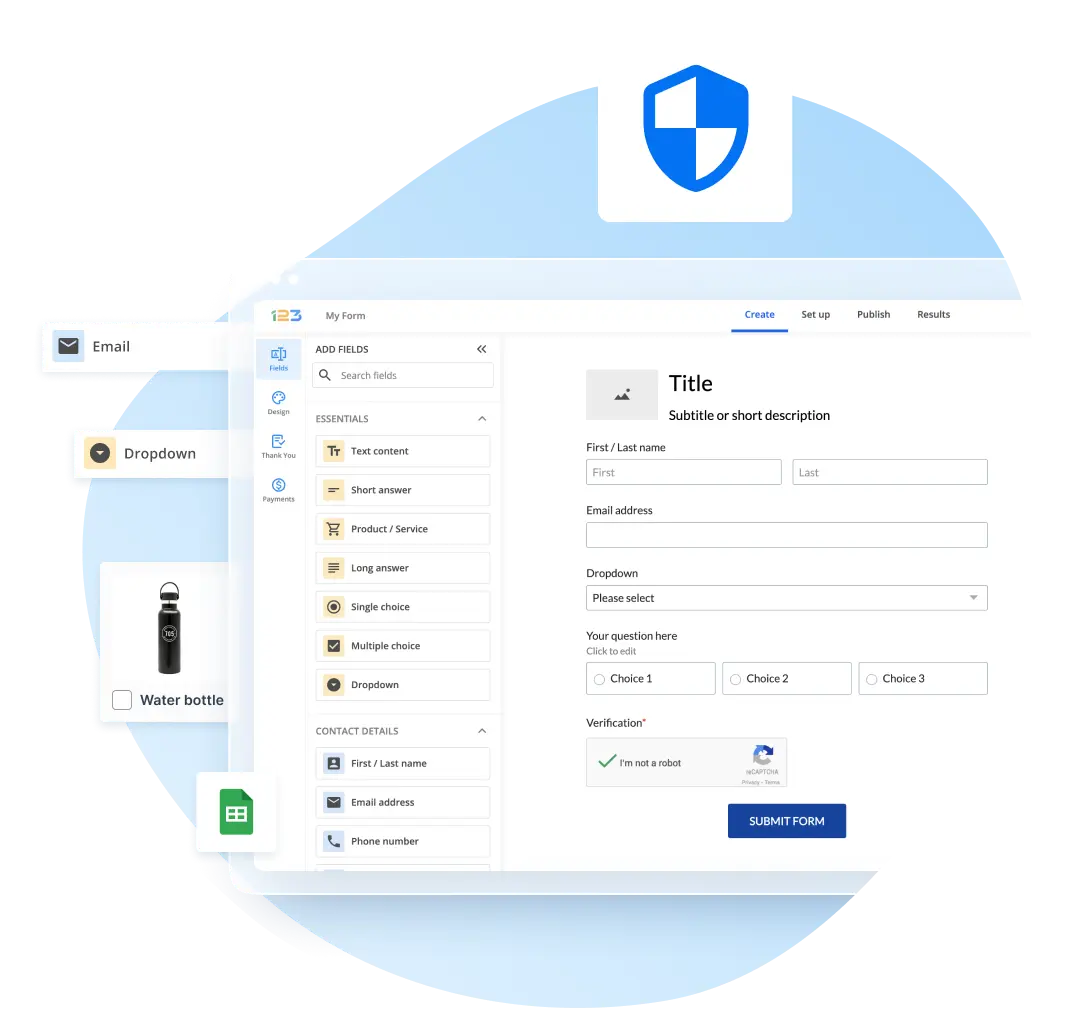
Use drag-and-drop, which requires no coding skills, to create your secure form. Our secure form builder is accessible to users of all backgrounds. You can design forms with various fields, from simple text boxes to complex conditional logic.
Moreover, 123FormBuilder provides seamless integration with popular services like Google Sheets and Dropbox, making managing and storing secure form submissions easy.
123FormBuilder’s advanced features include real-time notifications, dynamic form fields, and multi-page forms, enabling you to efficiently gather the precise information you need.

How to See If Your Form Is Secure
123FormBuilder allows you to enable many secure form features, including:
- SSL encryption (‘HTTPS’ URLs)
- CAPTCHA authentication (Smart Captcha or reCaptcha)
- Limiting the number of submissions you accept from the same URL
- Restricting the types of file extensions you accept for upload
- Form submission encryption
- Email authentication protocols: Sender Policy Framework (SPF), Domain Keys Identified Mail (DKIM)

Collect Data Securely
Our secure forms have you covered for every situation:
- Collect messages from your contact page with a secure contact form
- Register attendees to your event
- Sell merchandise and process payments online
- Gather customer feedback
- Automate internal workflows for your company

Security Certifications
Security is paramount regarding online forms, and 123FormBuilder takes this aspect seriously.
The platform complies with stringent data protection regulations, ensuring that sensitive information remains confidential and is handled with care. We are:
- GDPR compliant
- HIPAA compliant
- ISO 27001 Certified
- ISO 9001 Certified
- CCPA and COPPA-compliant
Moreover, 123FormBuilder employs robust security measures, including encryption, DKIM (DomainKeys Identified Mail), SPF (Sender Policy Framework), and Captcha, to safeguard against data breaches and spam submissions.
These layers of protection guarantee the privacy and integrity of the data collected through your forms, instilling trust in your respondents.

GDPR-Friendly Secure Forms
123FormBuilder is hosted on AWS (Amazon Web Services) with data centers across the US and EU. We monitor the platform 24/7 and use a 256-bit SSL connection path between you and your 123FormBuilder account.
123FormBuilder can host your form data in EU servers, meaning we are GDPR compliant. By complying with the General Data Protection Regulation, we take every organizational and technical security precaution imaginable to protect the confidentiality, integrity, and safety of any data gathered and processed using our forms.
You can safely use contact forms for business, job application forms, event registration forms for conferences and workshops, healthcare patient intake forms, e-commerce order forms, secure payment forms, or survey and subscription forms, knowing the responder data is well-kept, according to regional regulations.

HIPAA-Compliant Secure Forms
If you’re a healthcare professional in the US, you know that working with PHI data can be tricky. With 123FormBuilder, you can build HIPAA-compliant forms and make sure your medical workflows are secure. Always.
Utilizing HIPAA secure web forms offers a multitude of benefits in the healthcare industry and beyond:
- Ensure the protection of patients’ sensitive medical information, fostering trust and compliance with the stringent requirements of the Health Insurance Portability and Accountability Act (HIPAA).
- Encrypt data transmission and enforce strict access controls to minimize the risk of data breaches with HIPAA secure web forms, protecting patients and healthcare providers from potential legal and financial repercussions.
- Streamline administrative processes, reducing paperwork and enabling healthcare organizations to operate more efficiently. Patients benefit from the convenience of securely submitting their health-related information online, eliminating the need for physical paperwork and enhancing their overall healthcare experience.
- Make use of forms that are a cornerstone of modern healthcare, combining convenience, compliance, and data security to improve the quality of care and protect sensitive medical data.

Backup & Data Recovery
Backup and data recovery with 123FormBuilder is a streamlined and dependable process designed to ensure the security and availability of your valuable form data. The platform incorporates robust mechanisms that safeguard your collected data from accidental loss, system failures, or other unforeseen events.
All 123FormBuilder forms are virus & malware-protected, even when uploading files through your form.
You and you alone are the owner of your data. However, if you accidentally erase any data, we can restore it for you within 30 days of your request.
In addition, we can retrieve any CSV file of any form you possess and move forms from one account to another at your request.
Your data is never going to waste. We can recover data for you within 30 days, even if you accidentally delete it.
Upon request, we can even transfer forms from one account to another.

Connect Forms with Your Favorite Tools
With 123FormBuilder, you have seamless integration with a wide array of third-party applications and services, enhancing the functionality of your forms and streamlining your workflow. Here are five examples of popular integrations:
- Salesforce: Connect your forms to Salesforce to automatically populate your CRM with lead data.
- Mailchimp: Integrate with Mailchimp to effortlessly add form respondents to your email marketing lists.
- PayPal: Enable secure payment processing by integrating your forms with PayPal, which is ideal for event registrations and e-commerce.
- Zendesk: Create support tickets directly from form submissions by linking 123FormBuilder with Zendesk.
- Zapier: Connect your secure web forms with thousands of popular apps through Zapier.

How it works
Build your form in minutes and collect data securely. 123FormBuilder makes it easy to build beautiful and secure online forms:

Step 1
Log into your 123FormBuilder account, pick a form template, or create a form.

Step 2
Drag and drop the fields you need, like Name, Email, File Upload, and Message.

Step 3
Dive into the Security section and enable the best protection measure for your form.

Step 4
Add any finishing touches, publish your form, and collect data securely. That’s it!