
123FormBuilder Knowledge Base
Search our documentation platform for answers, service specifications and 3rd-party integrations.
Set up field rules with 123FormBuilder
With 123FormBuilder, form branching and conditional logic are very easy to set up. Go to the Rules section → Field Rules tab and click on Add Rule.
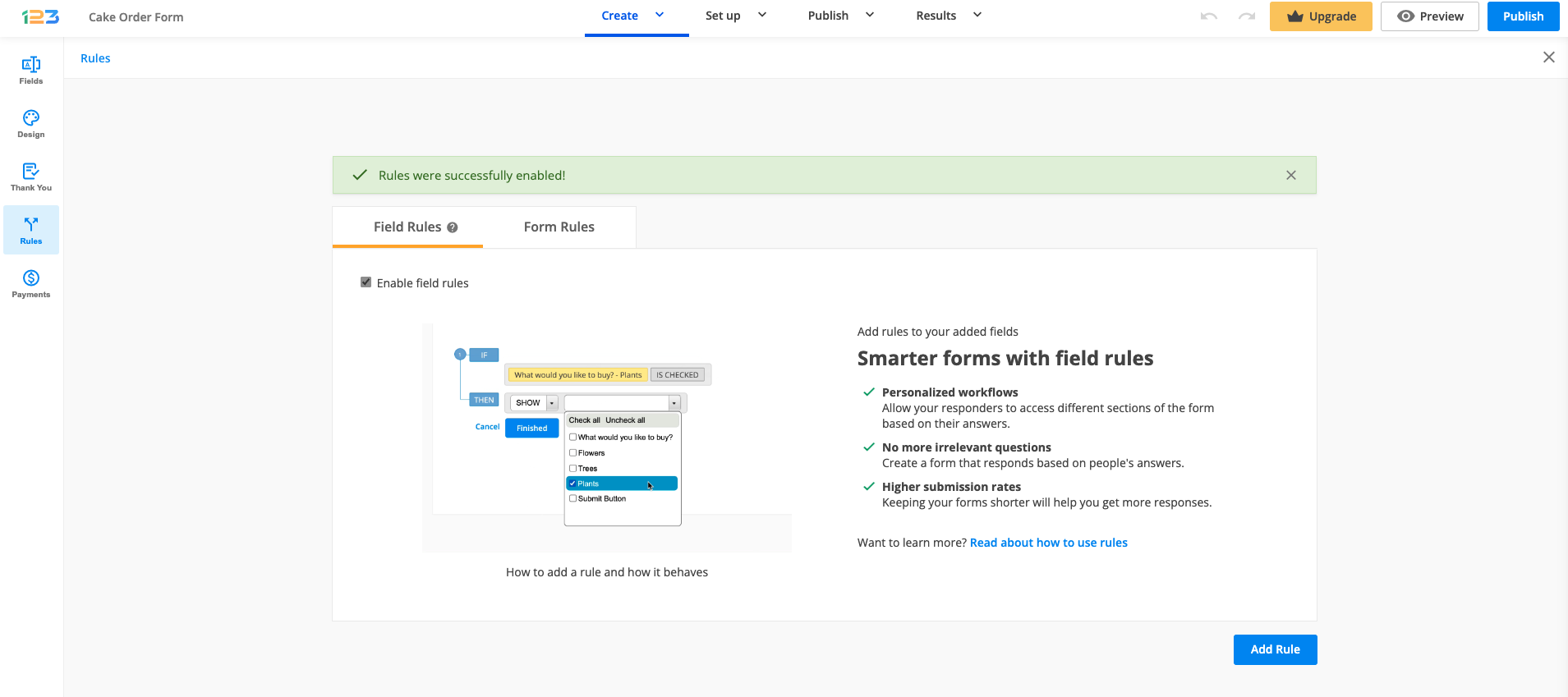
In the first dropdown list, choose the field that will affect your form’s behavior. Here you will find all your form fields.
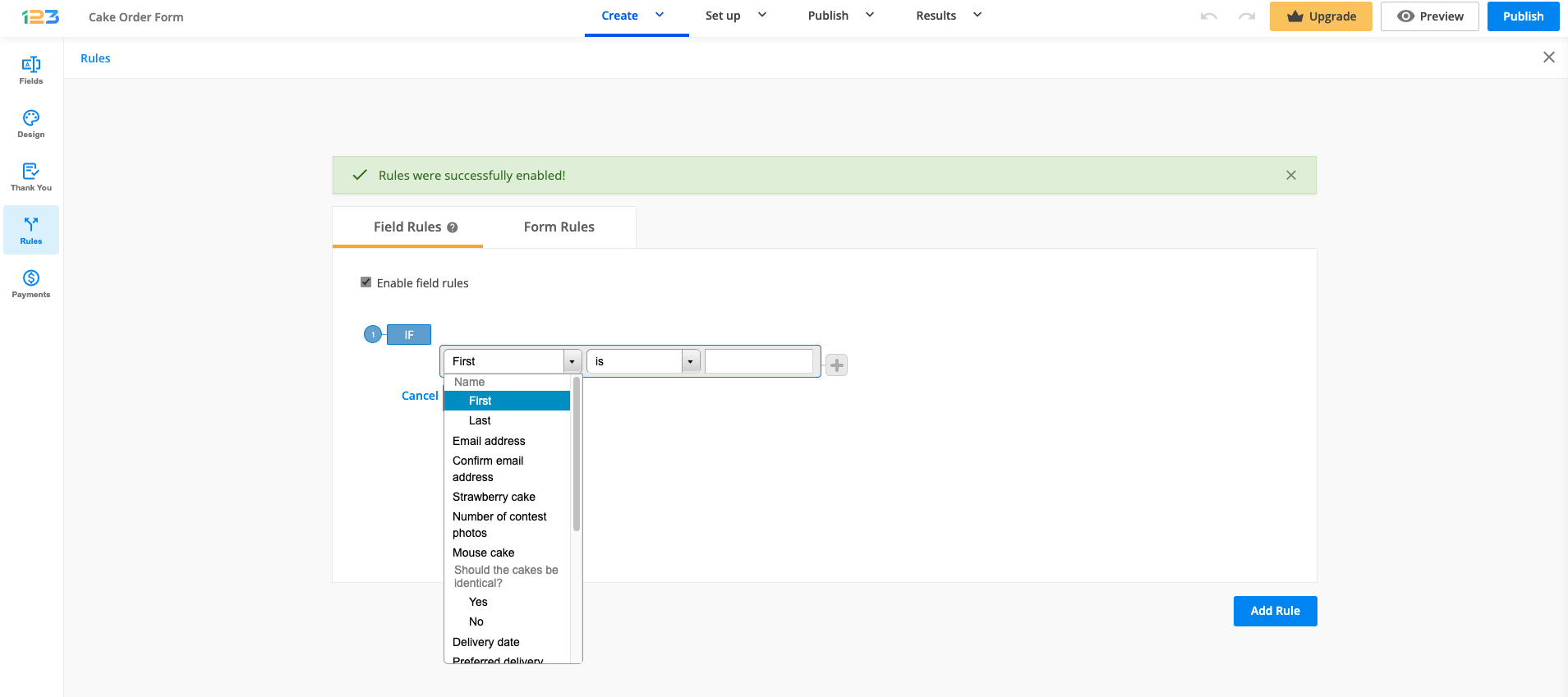
Then specify the criteria it needs to meet to trigger changes and decide if it is going to show or hide another field (that will be designated in the last dropdown list).
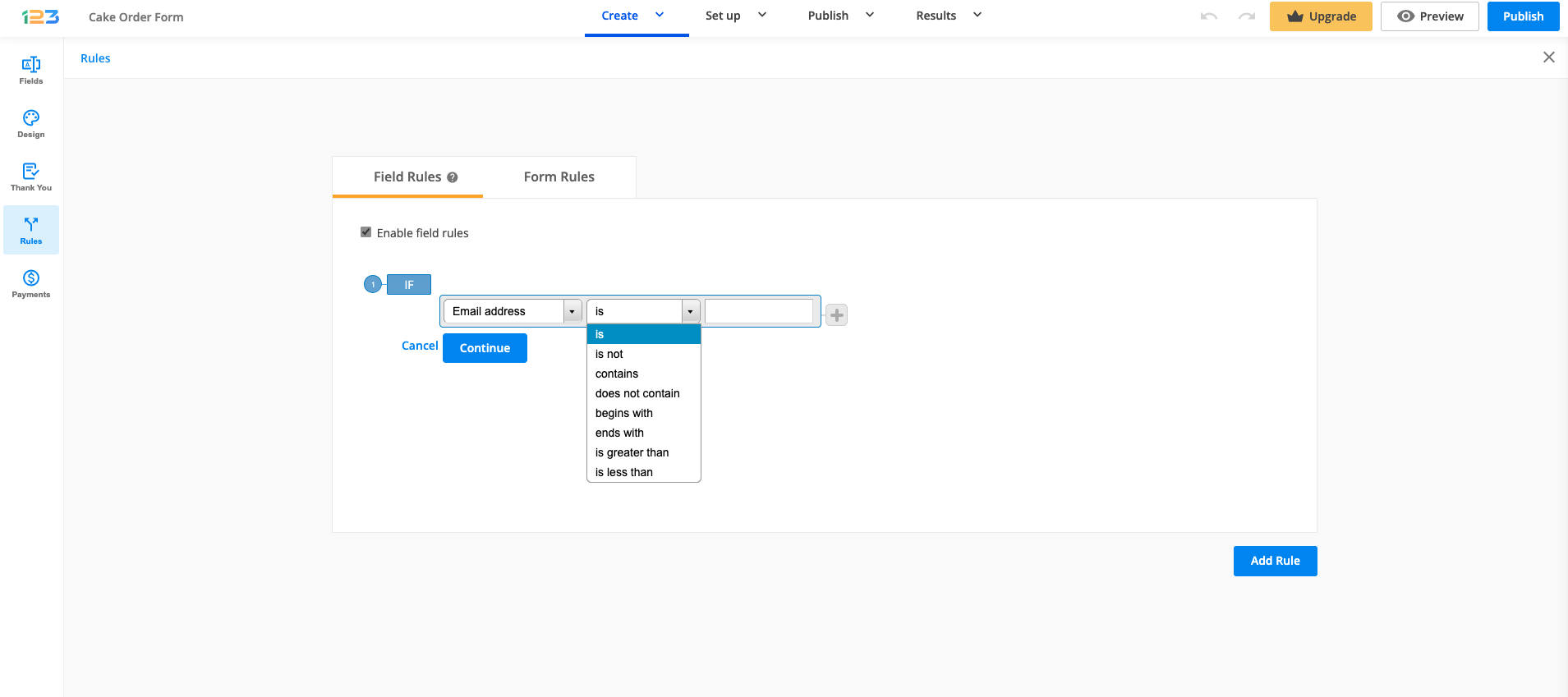
Depending on the field type selected previously, there are different conditions. For Email field, for example, you have various conditions: is not, contains, does not contain, etc. Another example could be related to age restriction: If age is less than 21, then don’t show the list of alcoholic beverages on the form.
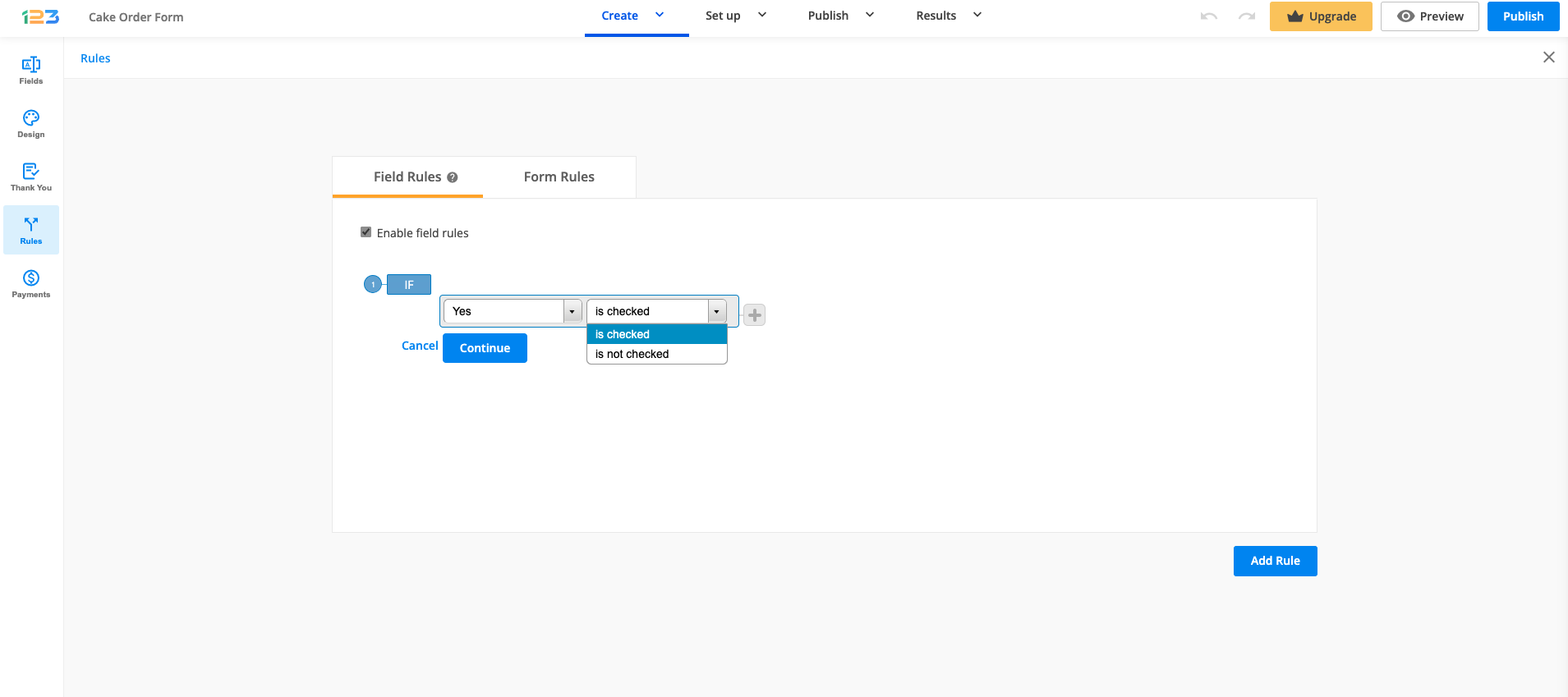
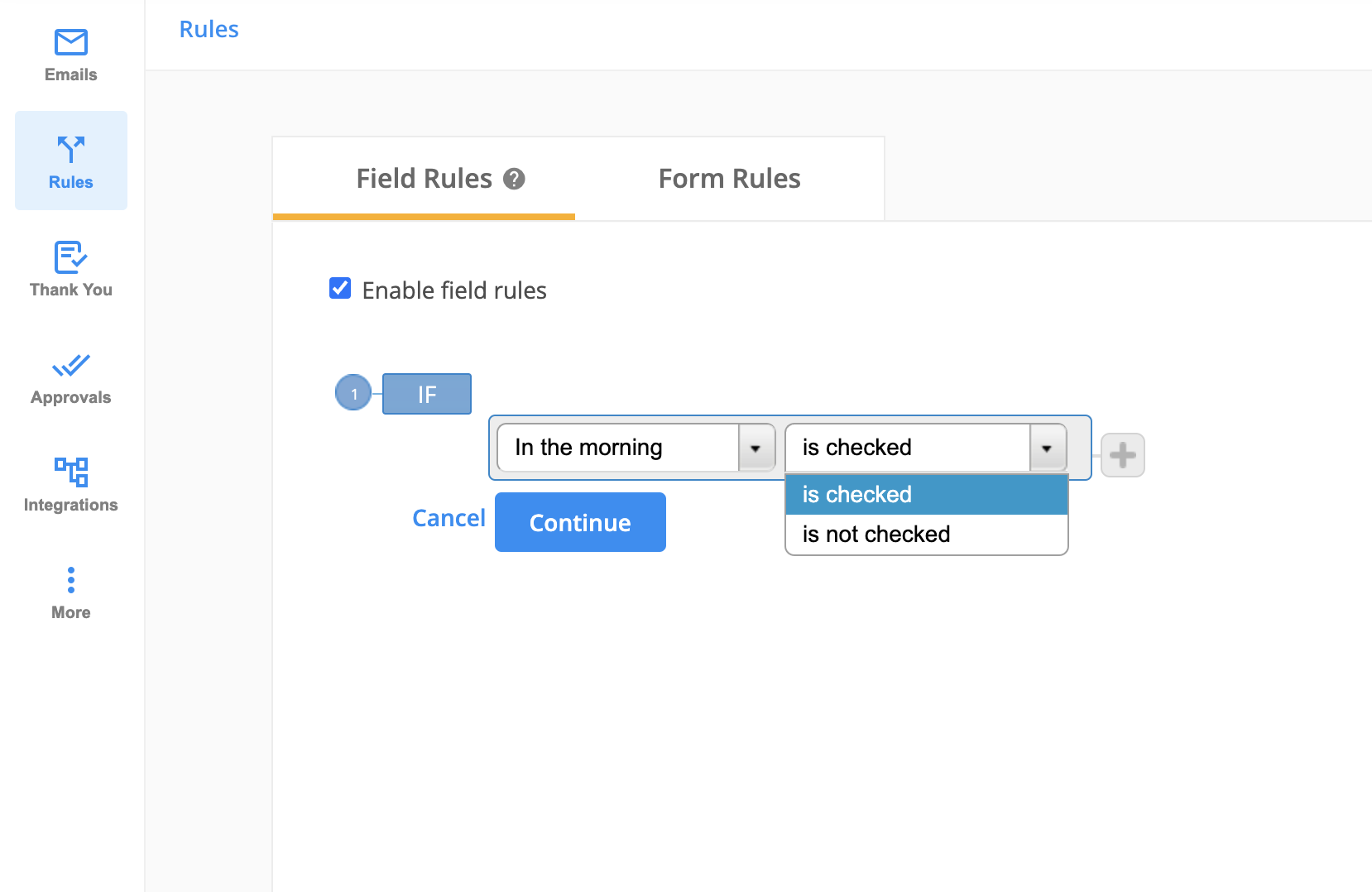
For choice fields, you can use the conditions is checked or is not checked.
If you want to create multiple rules, click on the grey plus sign to create a new condition. It is connected to the previous condition with one of the available connectors: OR and AND.
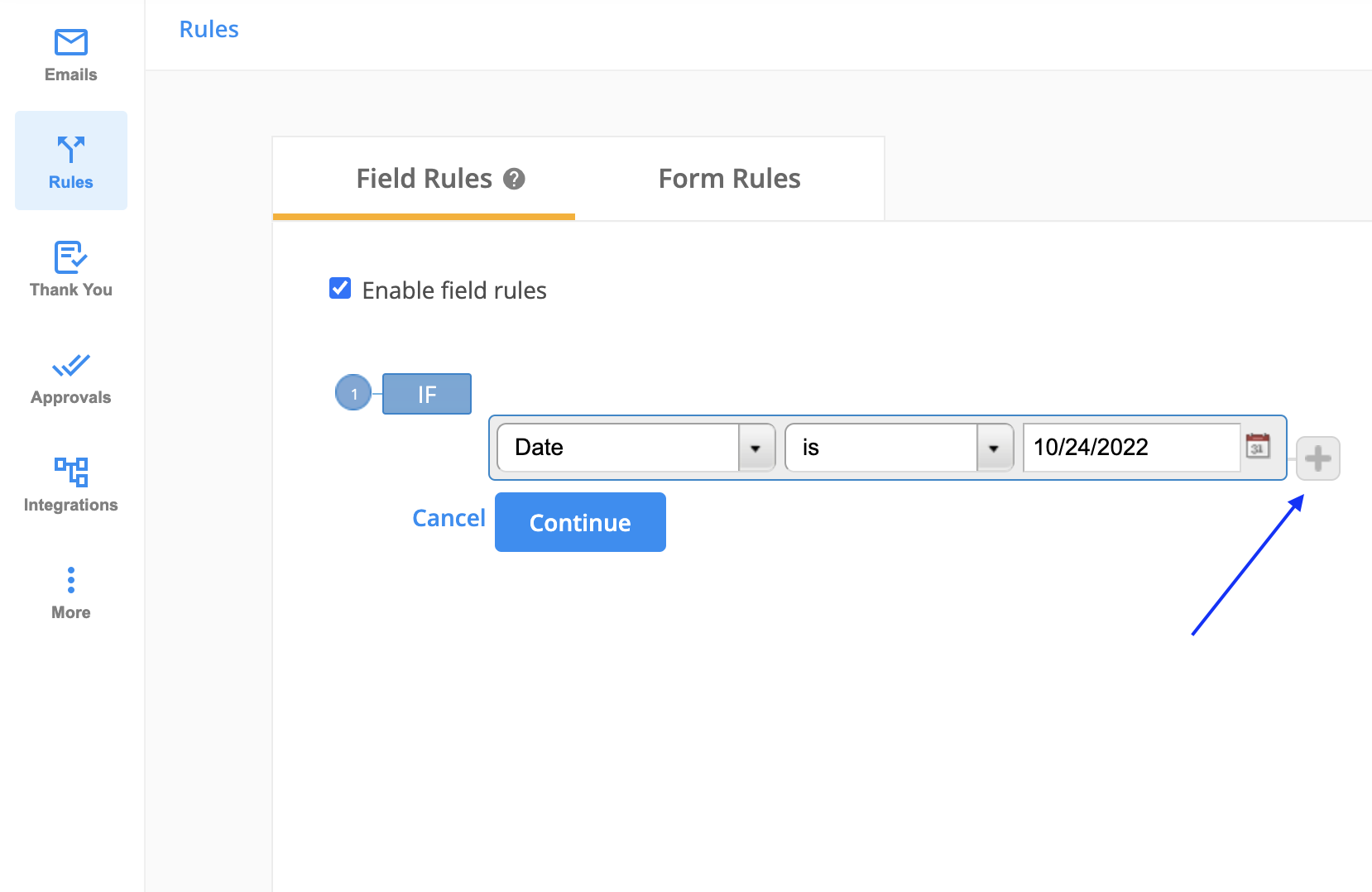
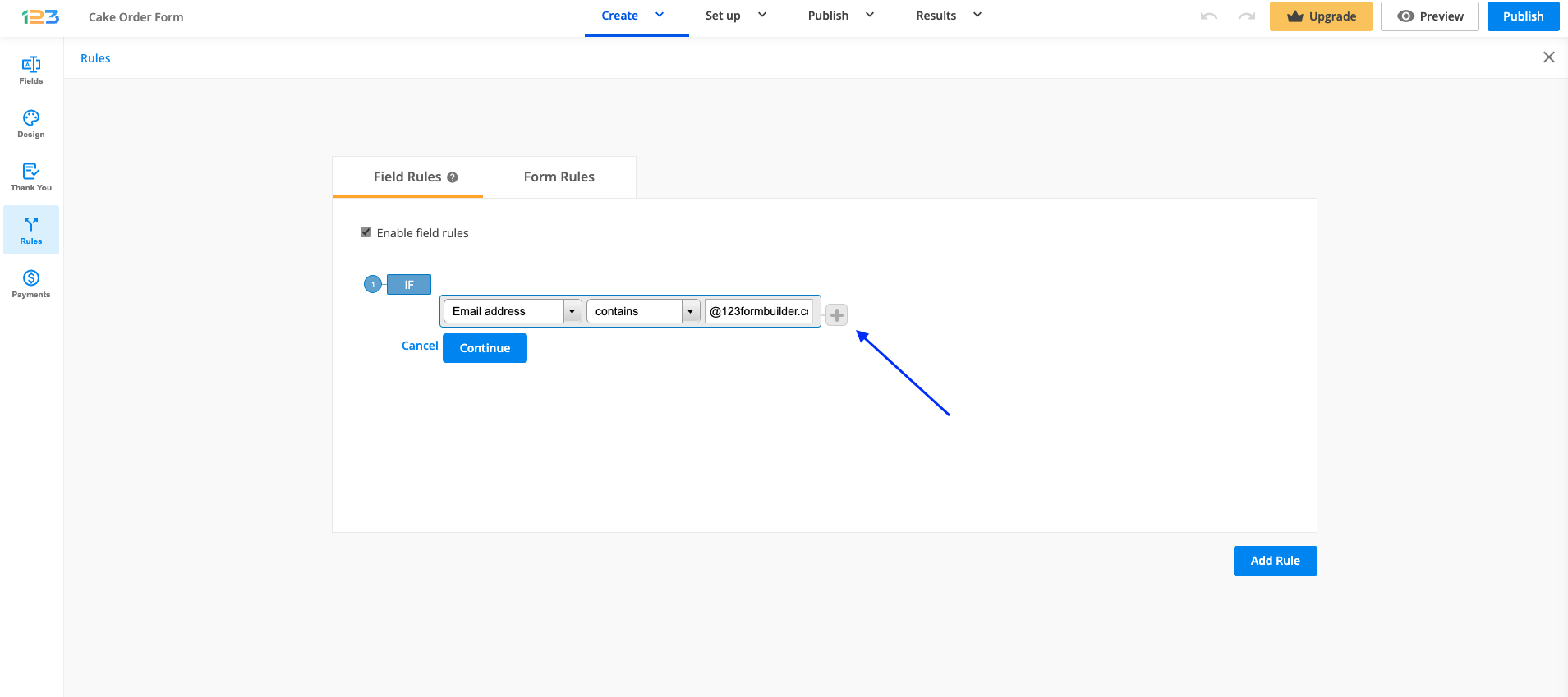
It is connected to the previous condition with one of the available connectors: OR and AND. Use this button if you want to set multiple conditions within the same rule. You can always remove the second condition by clicking on the Remove button.
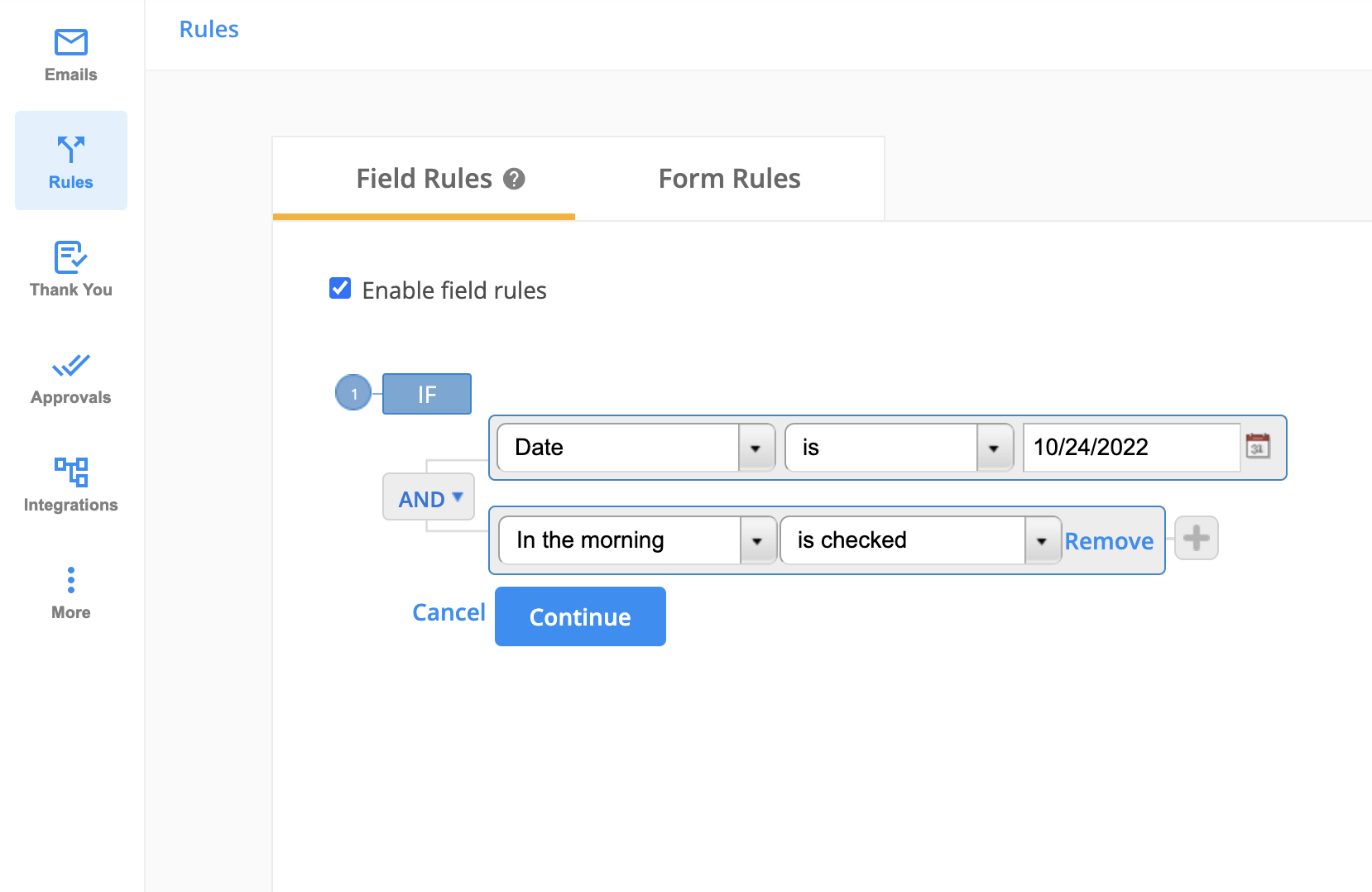
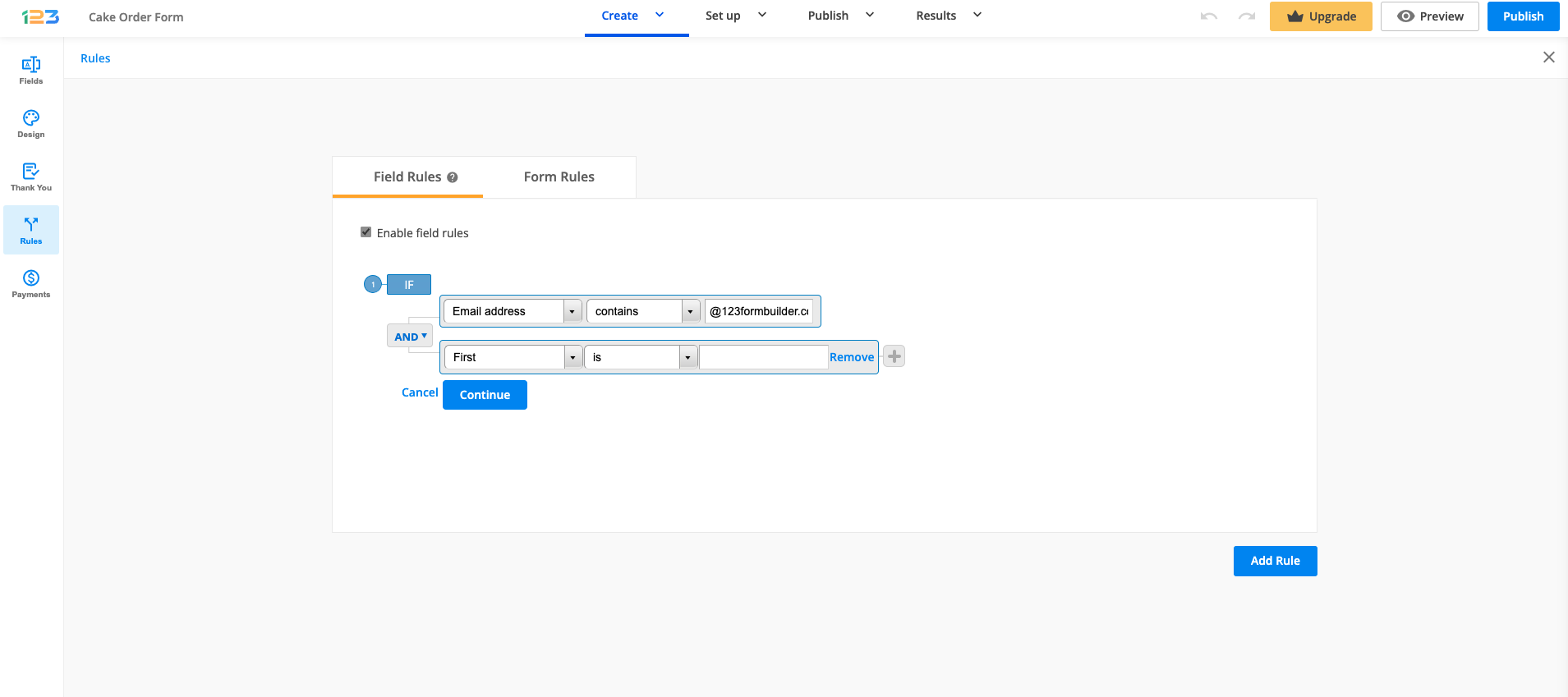
Next, hit Continue and select one of the two existing actions: Show or Hide. In the end, select the field or fields you want to show or hide after the condition has been met on the form.
If you wish to Show or Hide the Multiply field group field, please select the Multiply field group element and all the fields included in it. Otherwise, your rule will not work as expected.
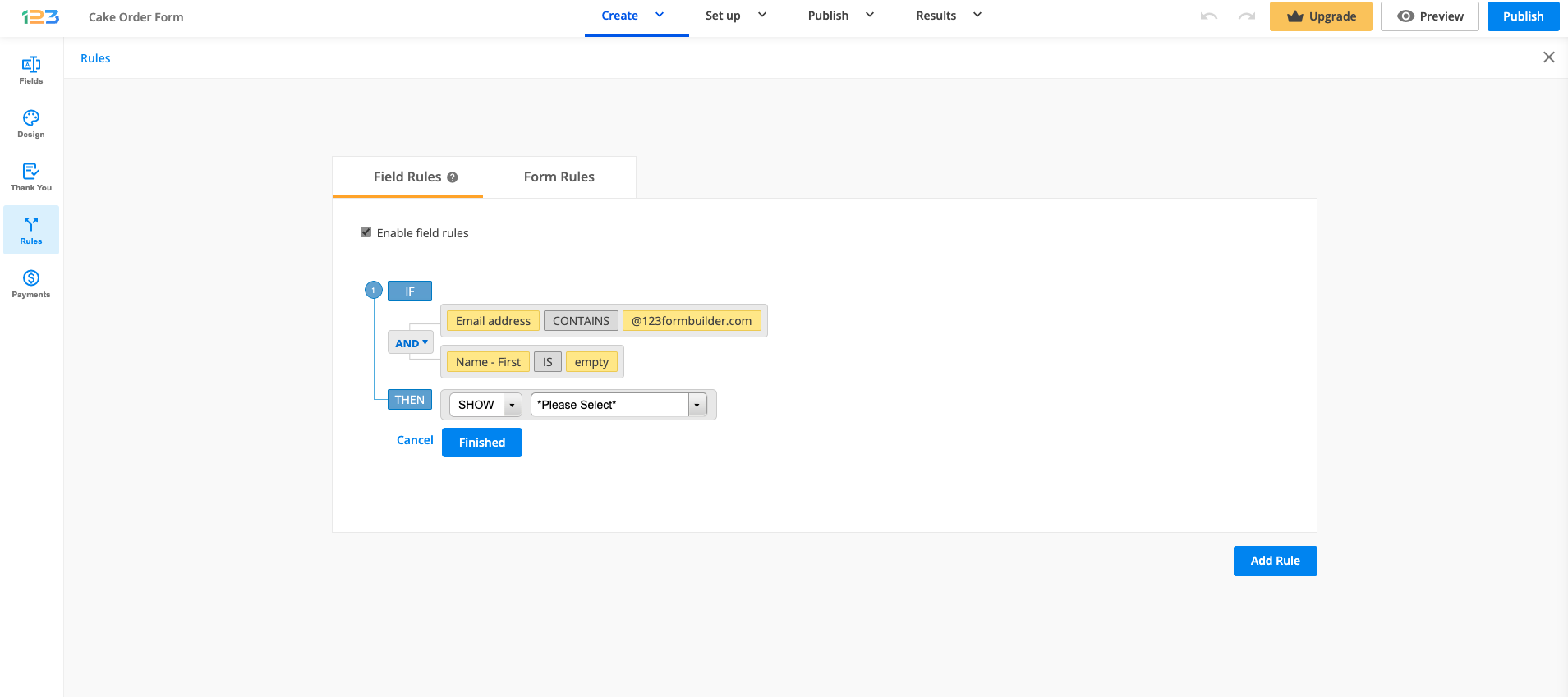
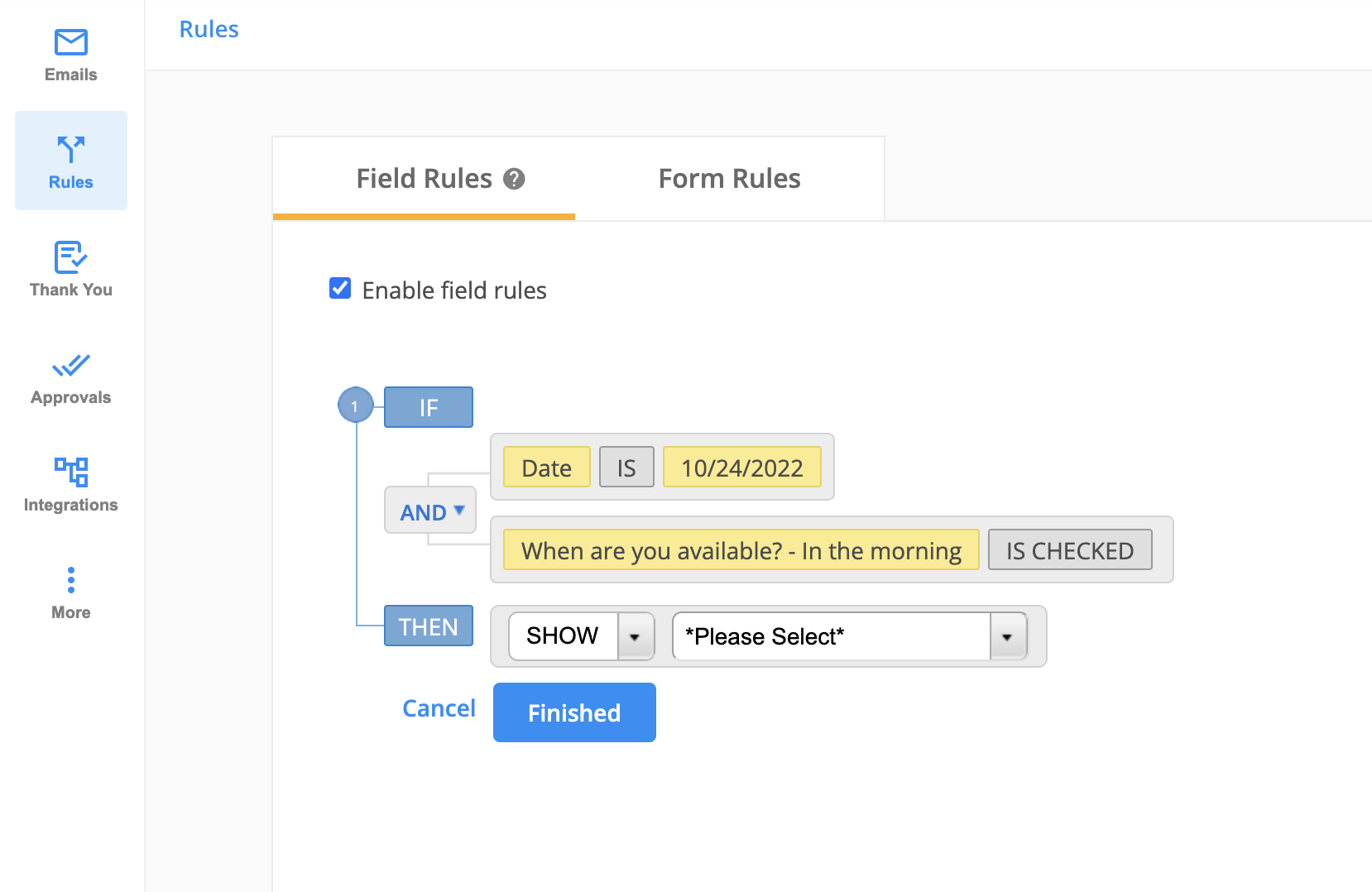
When hovering over the conditions, you will notice some additional options: Delete, Edit, Subrule. You can edit or delete a condition by clicking on the appropriate buttons.
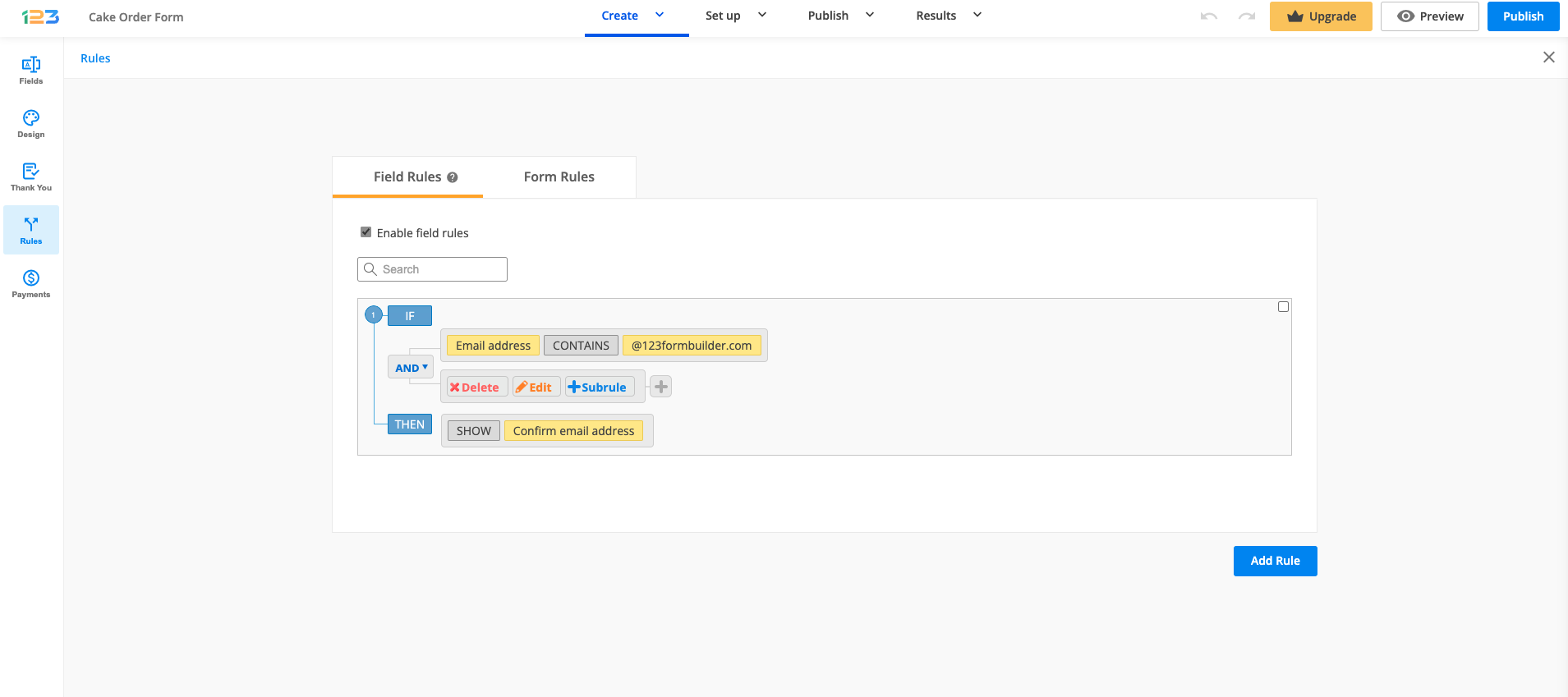
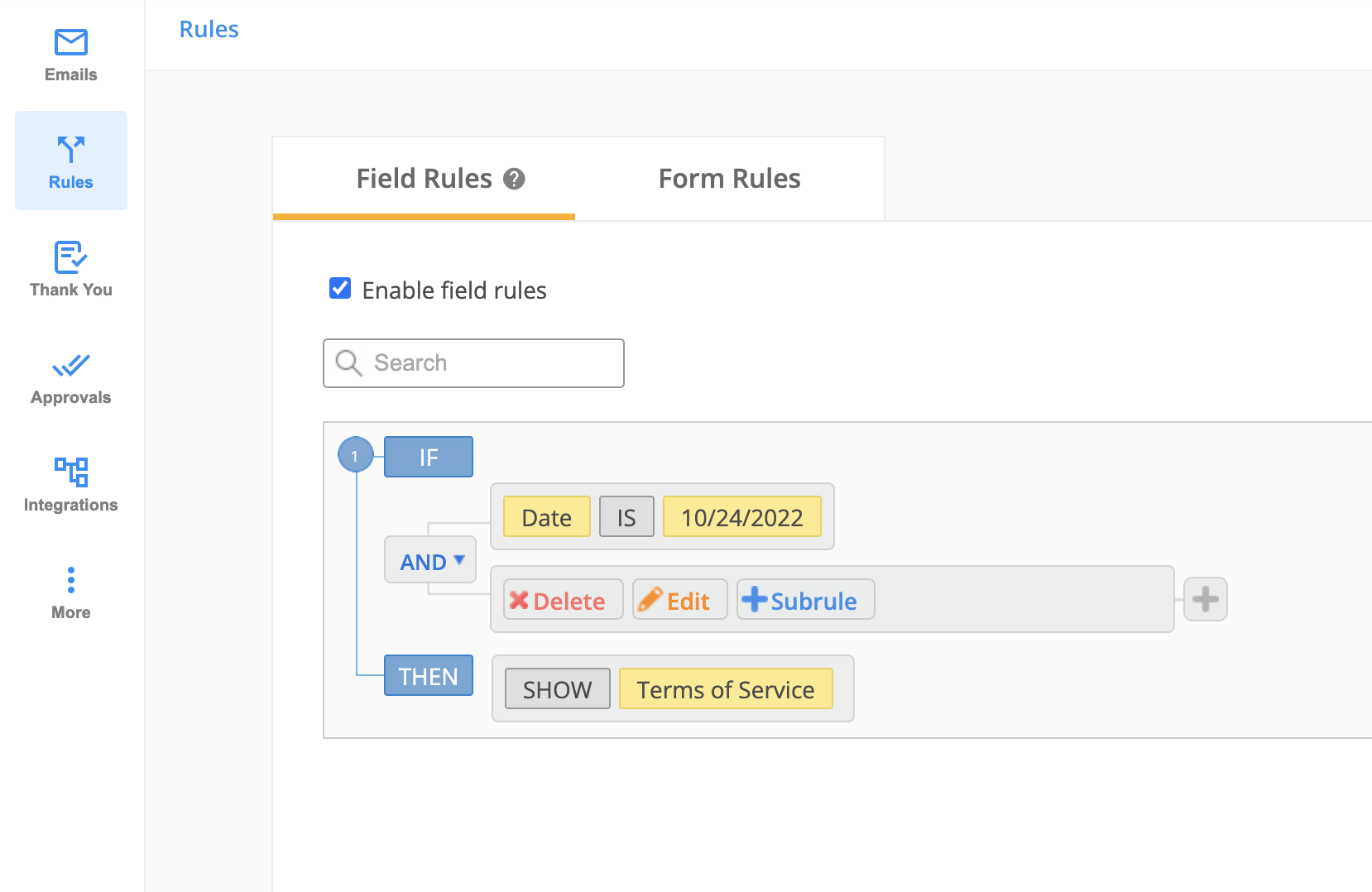
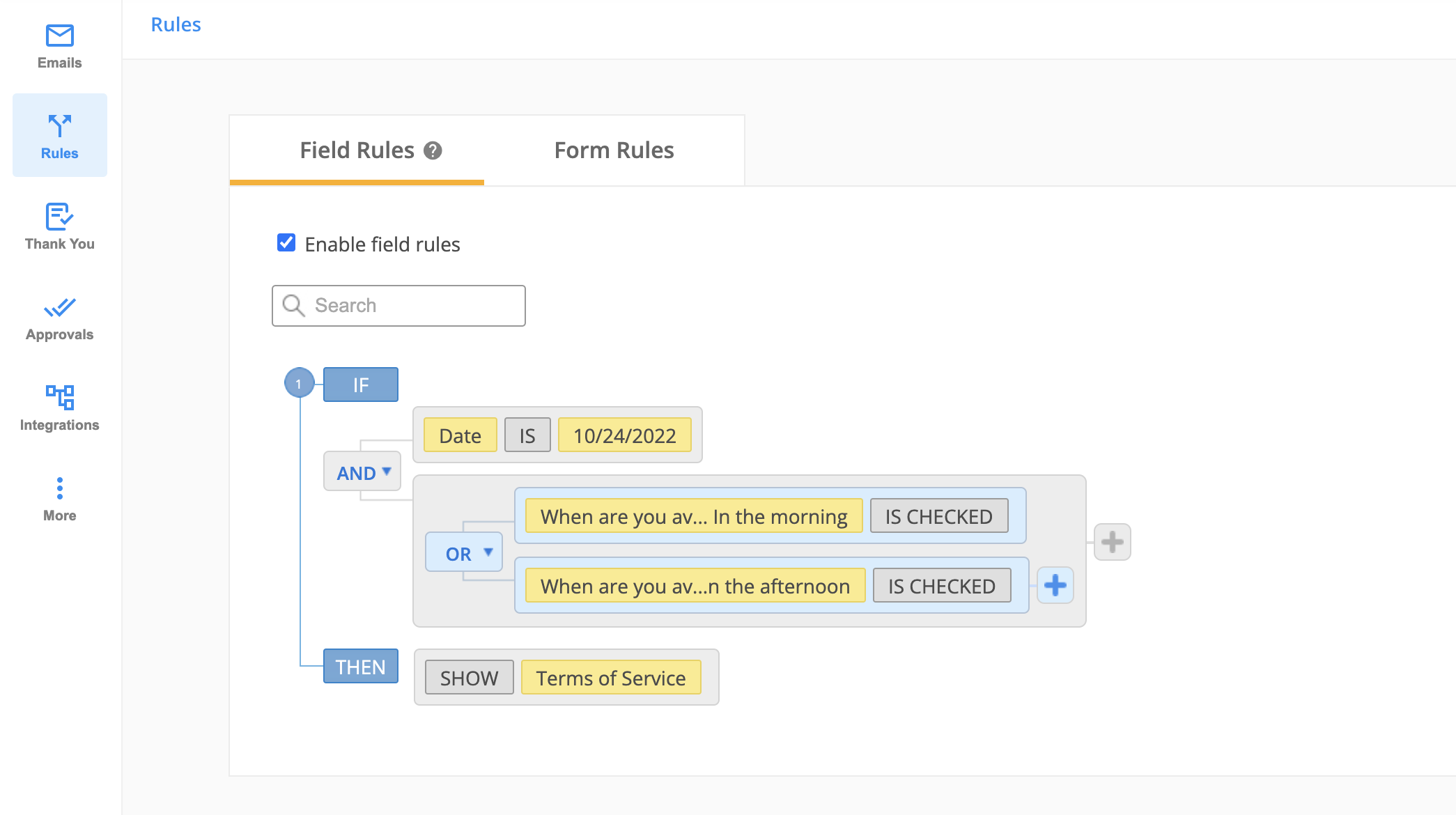
If you want to add a subrule (an additional layer of rule), click on Subrule button. In the below case, for the second condition, we have added an additional rule with a conditional operator: AND/OR.
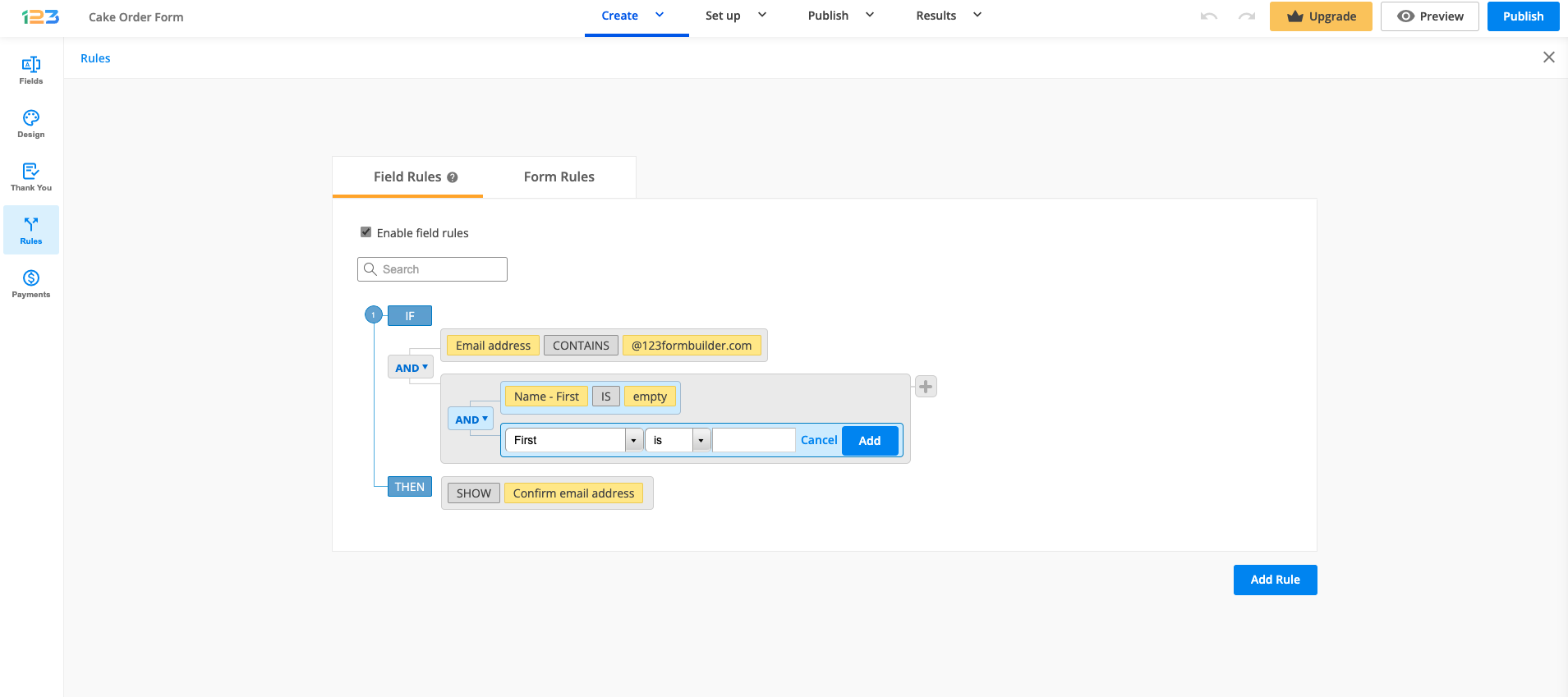
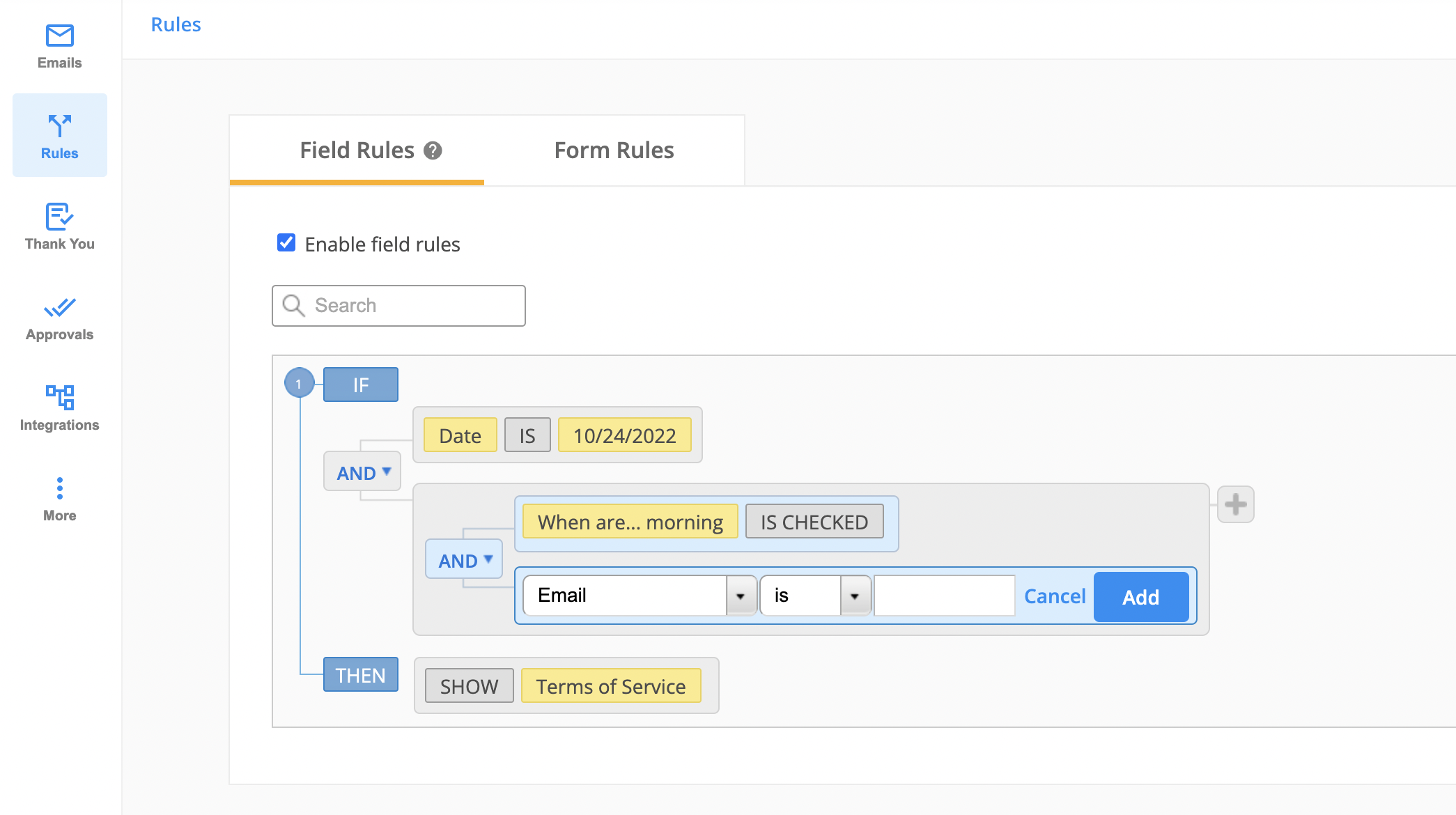
Once the subrule has been added, it will look like below:
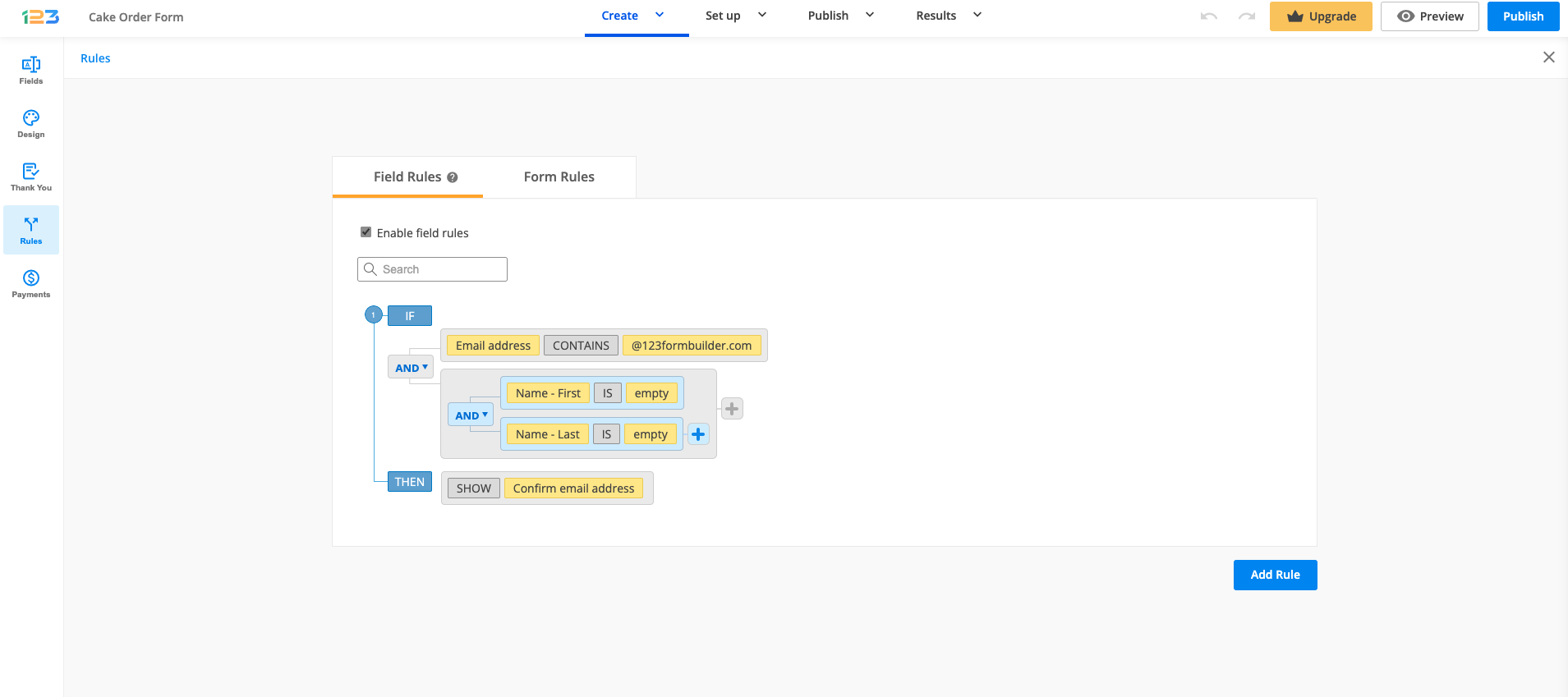
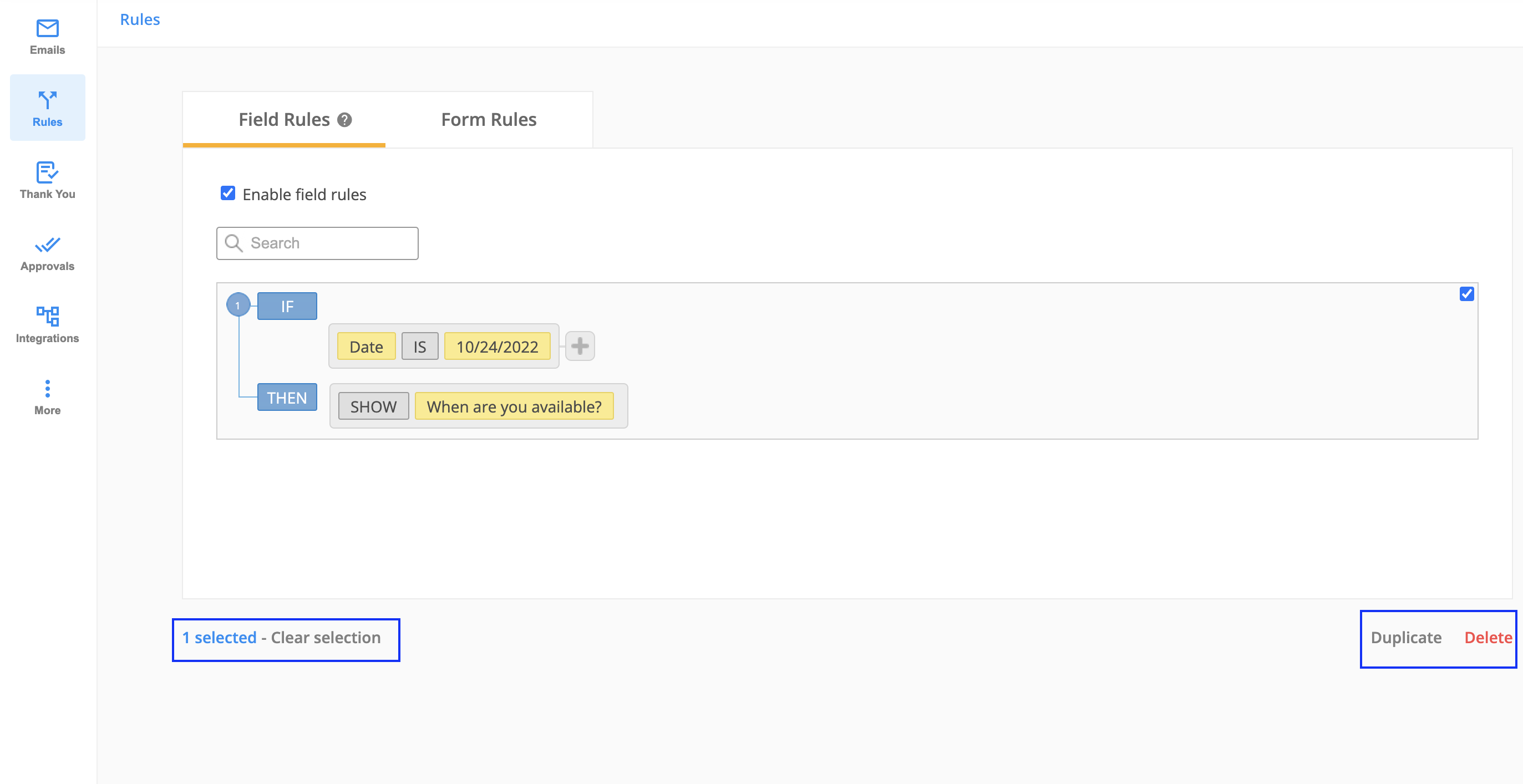
Preview your form at all times and delete the rules that you don’t want to use anymore. You can do this by hovering over the rule and selecting it. From there you can Delete the rule or even Duplicate the rule.
How to set up rules that affect multiple fields?
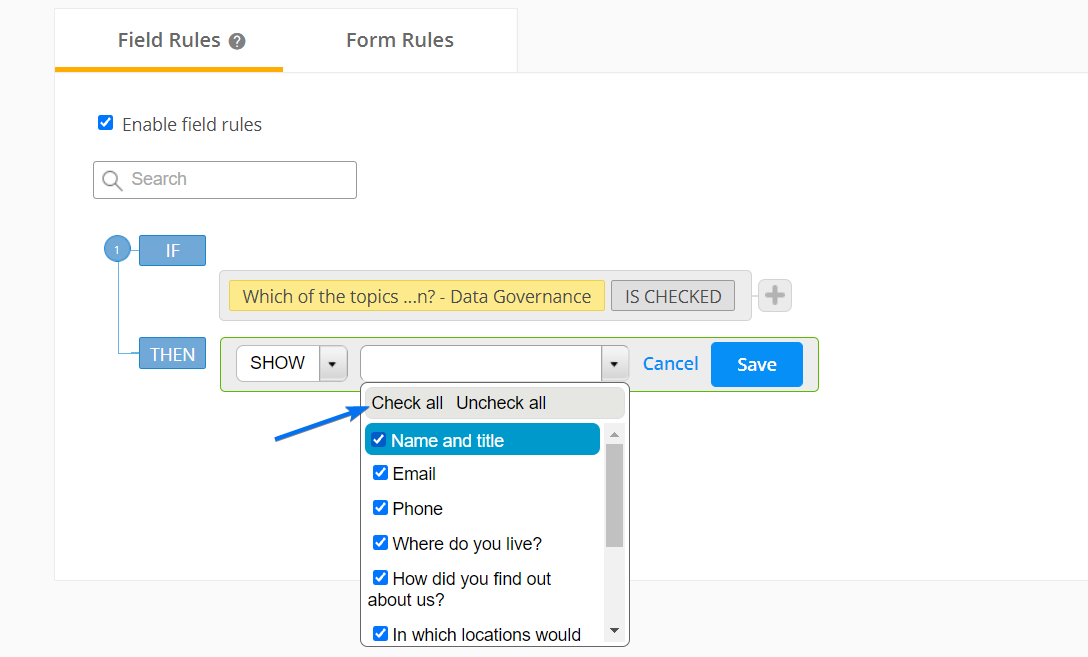
Each field rule can have multiple conditions and show/hide multiple fields. By setting up a single rule that affects multiple fields instead of repeating that rule for each affected field, you save a lot of time.
The first half of the rule represents the condition. By selecting the plus button on the right, you can add a new condition linked to the previous one. Use the connectors AND or OR to link the two conditions.
The second half of the rule represents the result. Check the fields that will respond to the conditions set or use the option Check all to select all fields. Finish setting up the rule by clicking Save.
What field types can I show or hide?
You can use any field type within rules, including languages for multiple language forms, or even form buttons (Submit, Calculate, Next Page). Add any field on your form and set the rules you want for it, according to your needs. Feel free to get creative with the conditional logic feature and make your online form look as professional as you want.
Important Note
You cannot Show/Hide the same fields in multiple rules. This will create a conflict and your rules will no longer work properly. You can duplicate your existing fields to show or hide them in multiple rules.How can field rules ease the use of online forms for your visitors?
Too many form fields could decrease the conversion of your online form. Having field rules set up the right way could avoid this problem by giving your form users a dynamic form to submit. Field rules are the perfect solution for complex order forms, photo contest forms, event registration forms, and many more.
Some options may be irrelevant for your form users if they have selected others instead. Take for example a food delivery order form. If a customer selects macaroni and cheese, two radio buttons will appear under the field with the options ‘more macaroni’ and ‘more cheese’. If the same customer selects another menu, then the two options will no longer be displayed on the form. Less content might just prove to be more engaging.
Related articles
10 comments
Leave a Reply
Similar Articles
Frequently Asked Questions
Here is a list of the most frequently asked questions. For more FAQs, please browse through the FAQs page.
It is impossible for the same answers to fit into two different rules and it is very annoying. it says in dialog box that there is conflict with rules.
Hi Jorge! I am afraid this is correct, you cannot show or hide the same fields in different rules. For such cases, we recommend that you duplicate your fields, or use advanced rules with multiple conditions and/or subrules. If you need any assistance setting up conditional logic on your form, we are here for you so please don’t hesitate to reach out to us on live chat or via email at customercare@123formbuilder.com. Thank you!
Is it possible that I have this following rule: If the user chooses a “location” from the dropdown list the form will then be sent to a specific email, if he chooses another location it will be sent to another email. Is that possible?
Hi Danilo! Yes it is possible with rules applied to email recipients. Please go to Settings – Notifications – Form Owner tab and click on the New Recipient button. After the condition when you can select the dropdown choice and establish the rule when to send the email notification to that email address.
I want when someone selects a certain field in a drop down section for 4 more question fields to become available.
For example. my dropdown menu says
Outdoors on Grass
Outdoors on Hard Surface
Indoors on Hard Surface
Indoors
Other
When they select Indoors option I want them to see 4 other options to complete. I don’t want other who don’t want everyone to see this options unless they select the ones I want.
Please can you help.
Plus Can I link my google calendar to certain fields, or/and my form when completed sends to the corresponding calendar date in google calendar?
Thanks for you assistance.
Hello Steve!
You can easily create this scenario with field rules by showing some fields (options) only when a specific options is selected in the dropdown field. To accomplish this, hit the Add Rule button and select the dropdown field in the first selector. Next, put the operator “is” and type in the option that is also available in the dropdown. Hit Continue and select “Show” in the first selector that appear and in the last selector simply check the fields from the list.
Here’s a documentation that might help: https://www.123formbuilder.com/docs/how-to-use-conditional-logic-to-showhide-form-fields/
Our customer support specialists will more than gladly show you how our field rules work, offering you a live example. Don’t hesitate to contact our Support Team at support@123formbuilder.com or via our contact page.
Regarding Google Calendar, you can use our 123FormBuilder – Google Calendar integration that you may use to create events or add attendees to existing events in your Google Calendar account on form submission. You can map form fields with the fields that appear in the structure of a Google calendar event.
For further assistance, don’t hesitate to contact our Support Team at support@123formbuilder.com or via our contact page.
Thanks!
I can’t get more than one rule to trigger the show/hide field.
Hello Rebecca!
Could you please specify your account plan? Basic users are entitled to use only one rule in total, while higher plans offer more. Check out our features matrix to see what features each plan has to offer.
For more questions or assistance, please contact our Support Team at support@123formbuilder.com
Thanks!
I have a text box that doesn’t have any conditions on it, just an ordinary text box. When someone types something in it, i would like to have a rule that another text box will appear under it. The problem is that I can’t predict what the person will type as it’s an open ended question. Is there a way to have a rule where if someone types anything, any character or number, instead of specifying a specific letter or word or number that the rule will work?
Hello Lisa!
Could you please specify a scenario that describes what you want to do? What you suggest is a bit complex. Perhaps there is a way to achieve the same results, but much easier.
Thanks!